


✦ New · GGC Digital Teacher Planner
The planner that plans the way a teacher does.
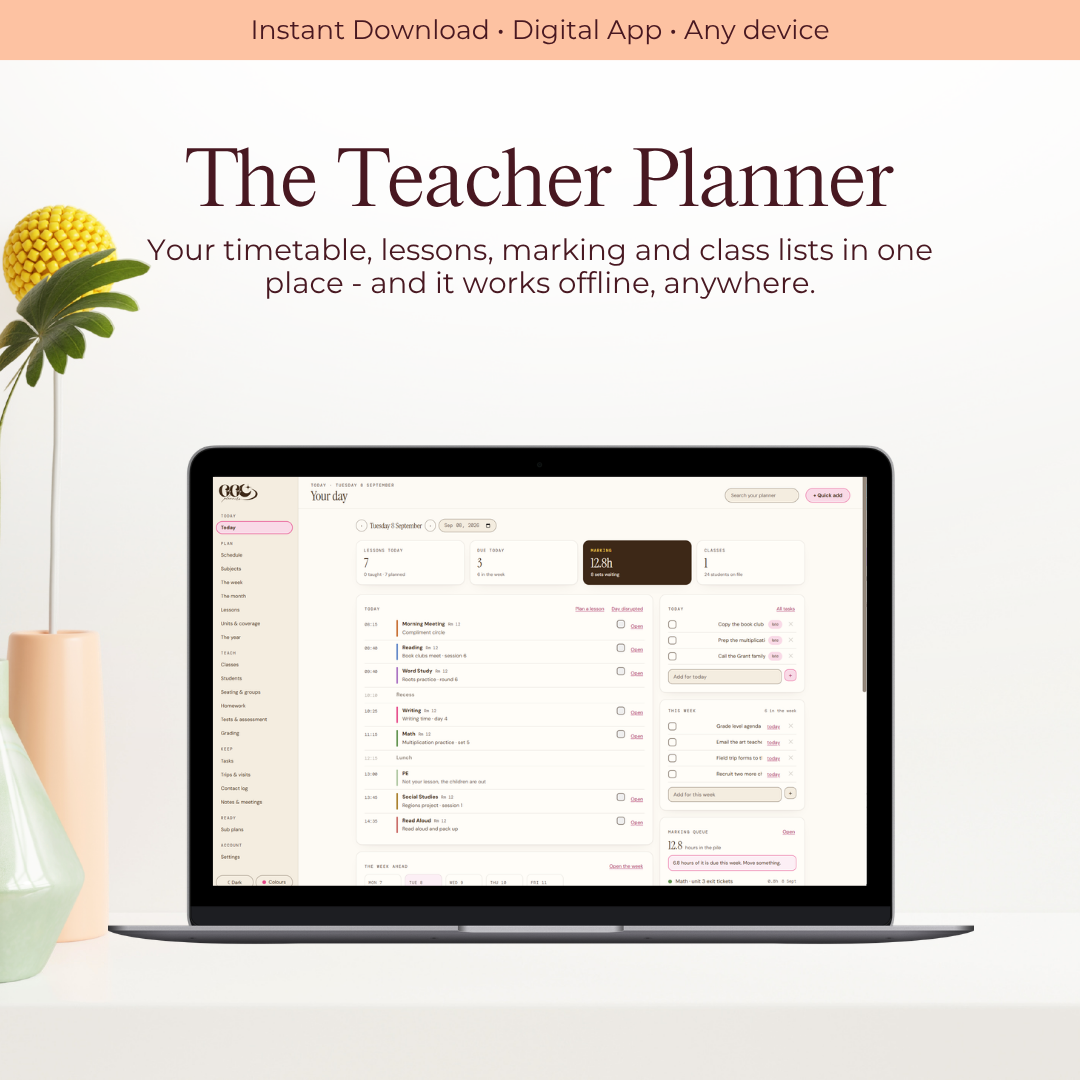
Timetable, lessons, marking, homework, seating and the day's cover in one planner you sign into. Open it in the morning and it tells you exactly what today needs.
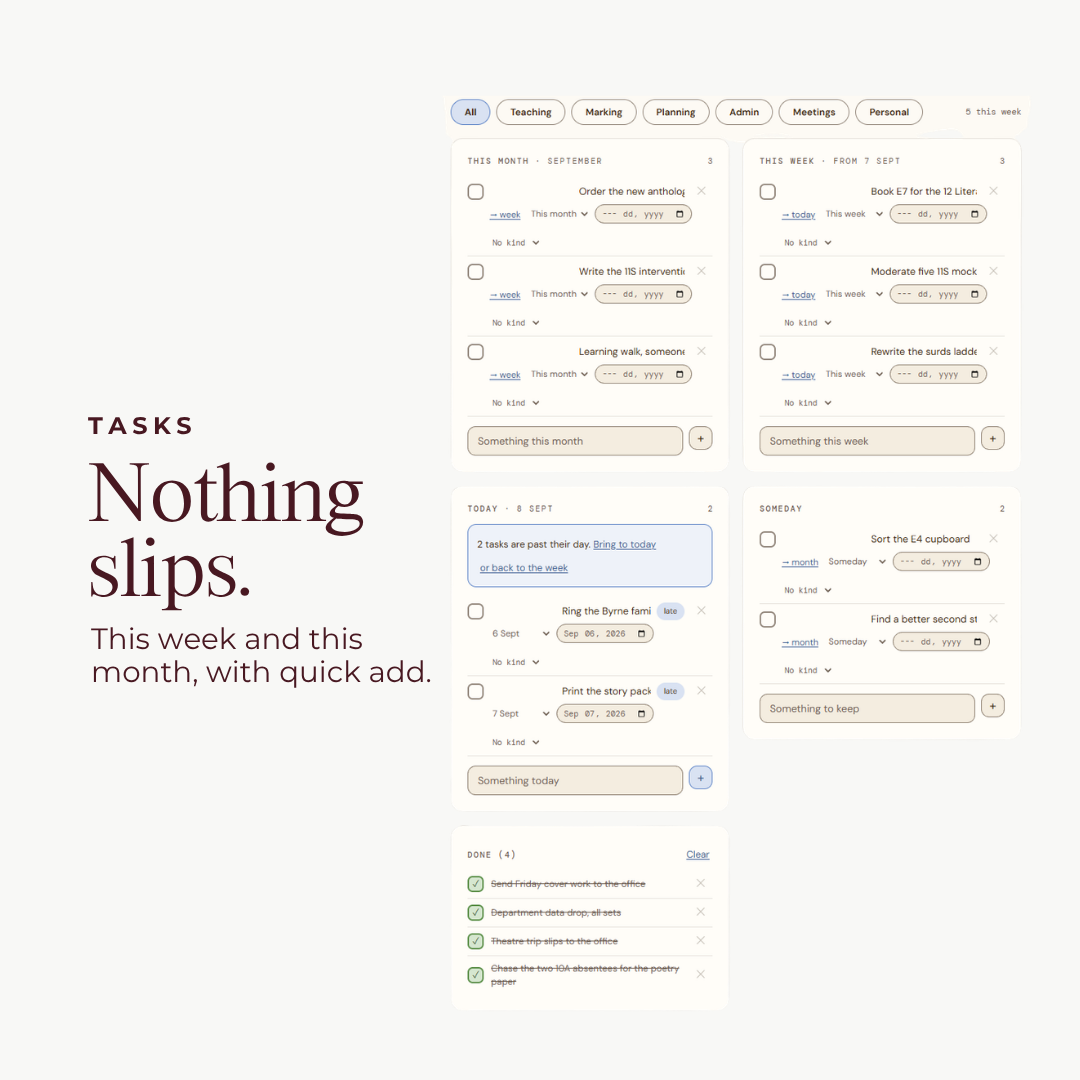
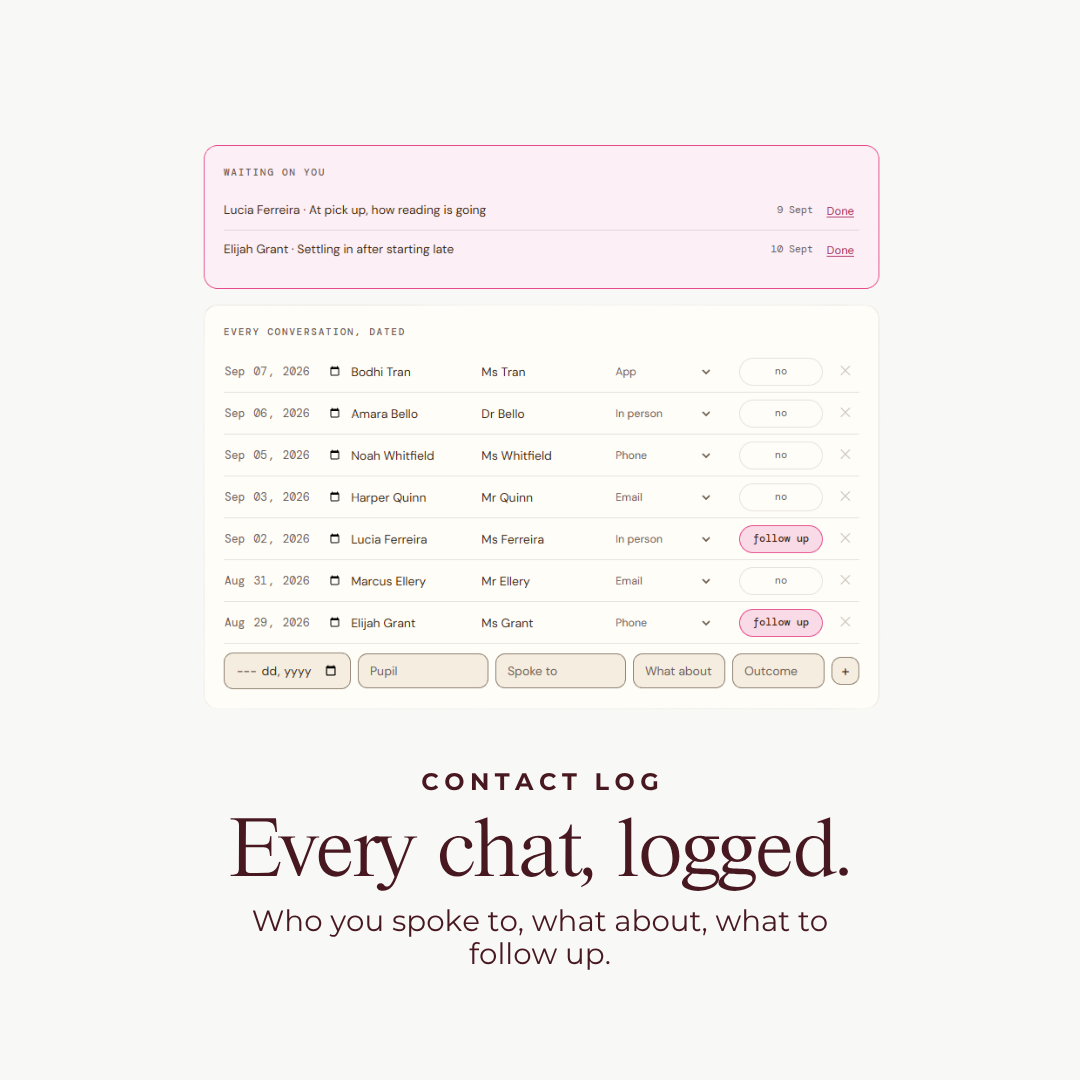
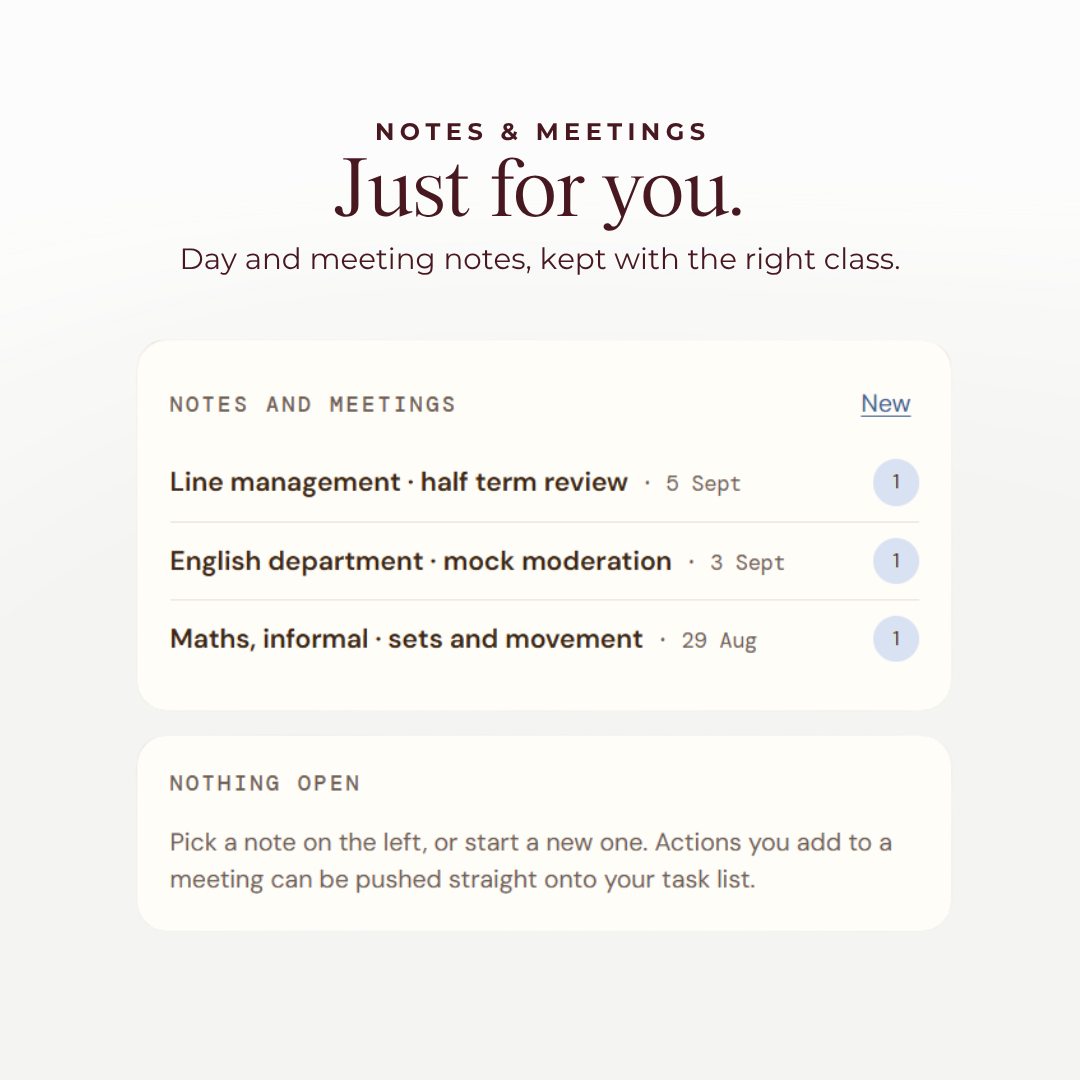
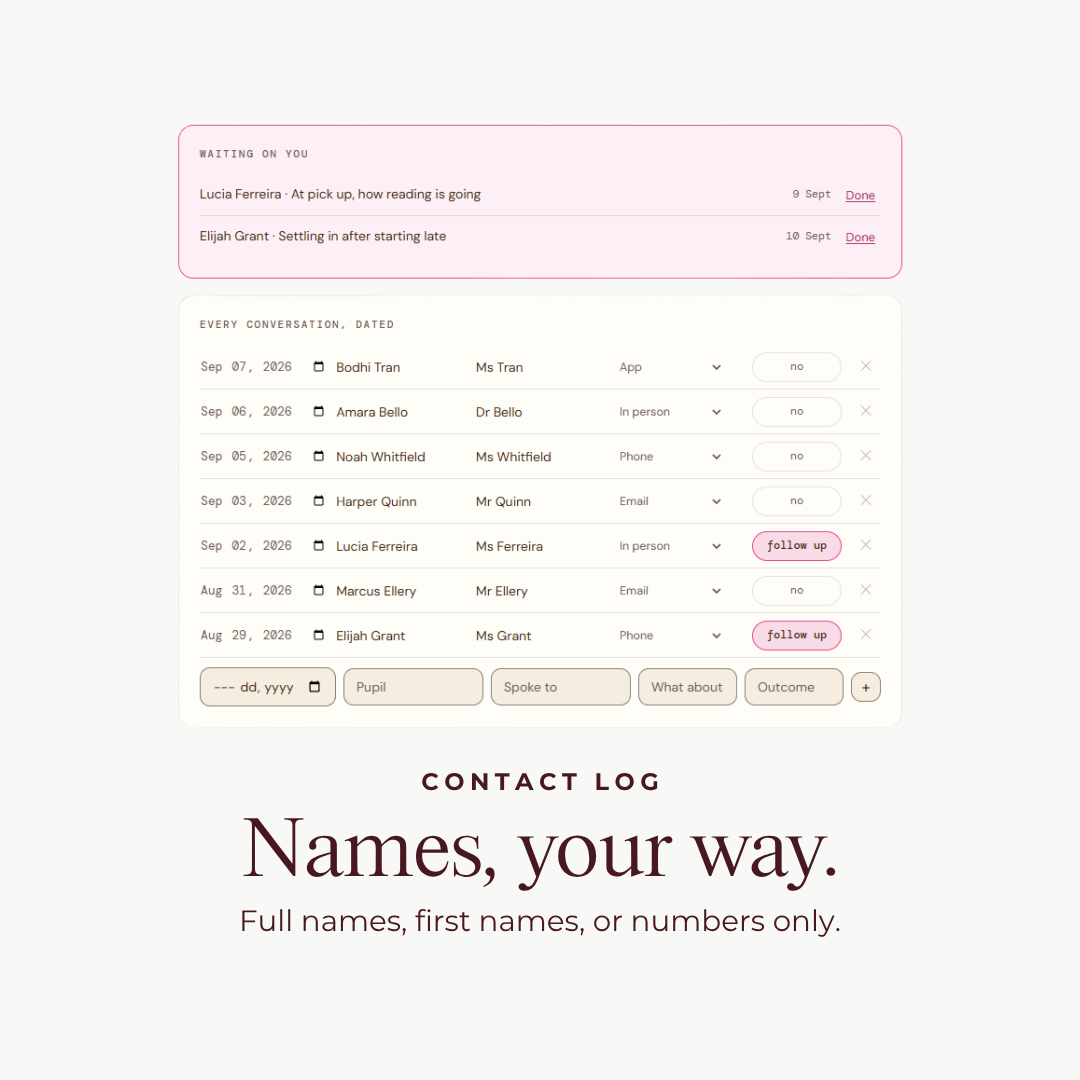
See it before you buy it
Watch it in action.
Sound familiar?
You shouldn't need five different systems just to plan your week.
You have your timetable somewhere. Your lessons somewhere else. Homework on another list. Marking deadlines in your head. Student information, meetings, emails, sticky notes and a growing mental to-do list somewhere in between. And somehow, you're still expected to remember everything.
START WITH YOUR TIMETABLE
Set it up once. Let your planner do the rest.
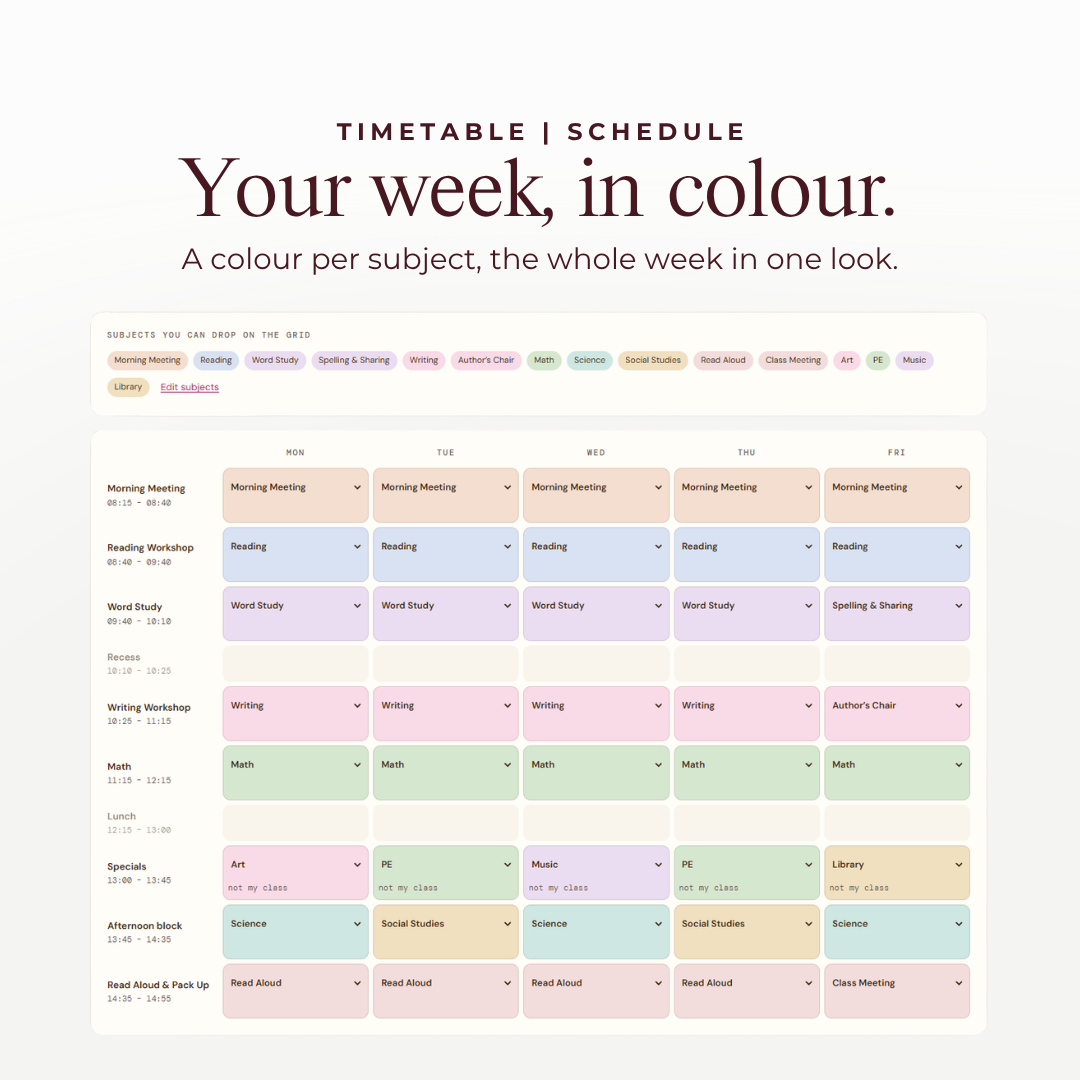
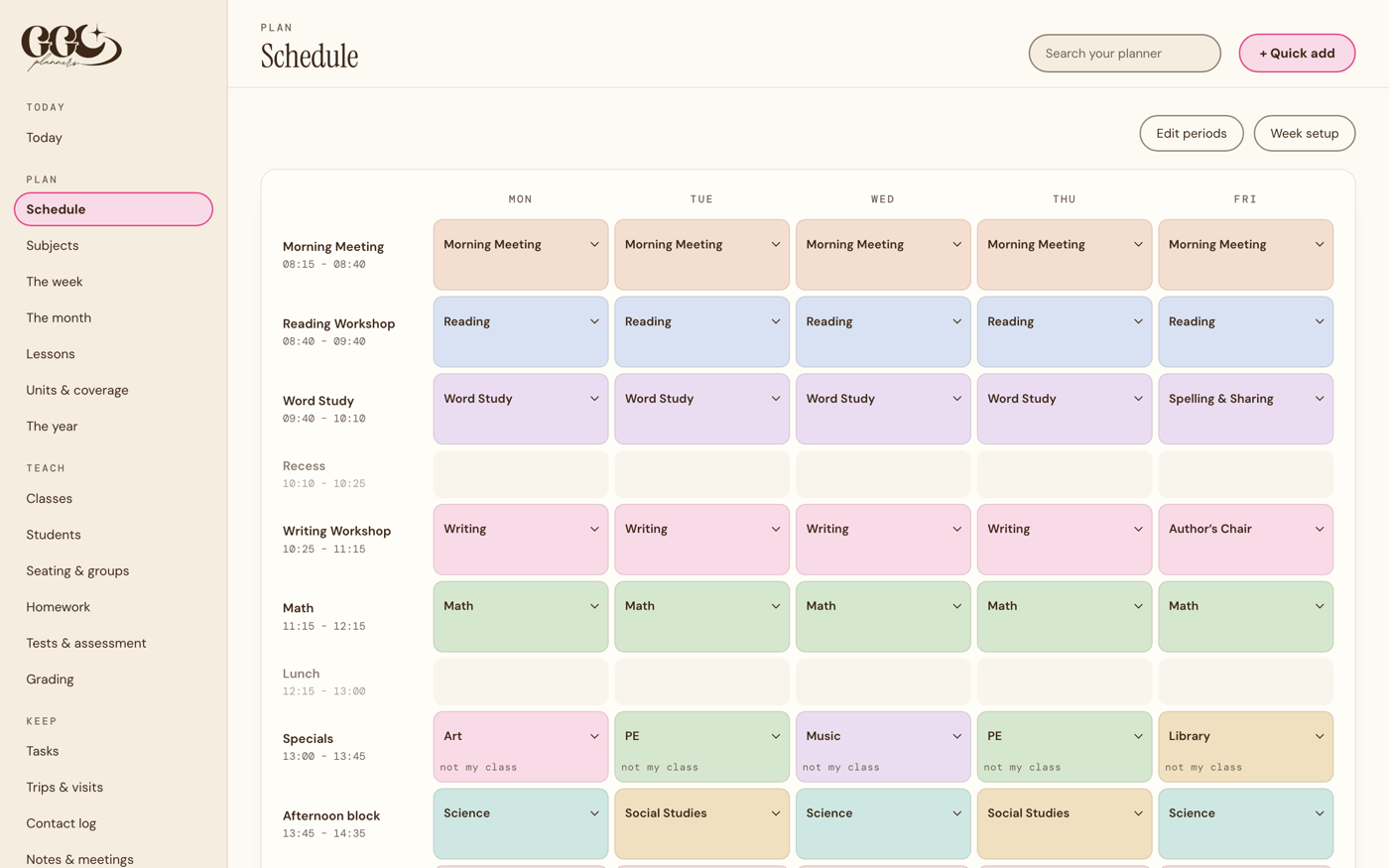
Your timetable is the heart of your teaching week. Add your classes, subjects and periods once, and your Digital Teacher Planner uses that information to build the rest of your planning around you. Your daily view, weekly planning, lessons and cover plans all work from the same timetable.

What a paper planner cannot do
The parts that save a Sunday.

One tap reshuffles the week
Fire drill, assembly, half the class at a match. One tap and everything not yet taught slides down a slot, in order, right through to Friday. What you already taught stays exactly where it is. In a secondary planner it moves one class down its own timetable and leaves the others alone.

See Your Marking Before It Takes Over the Week.
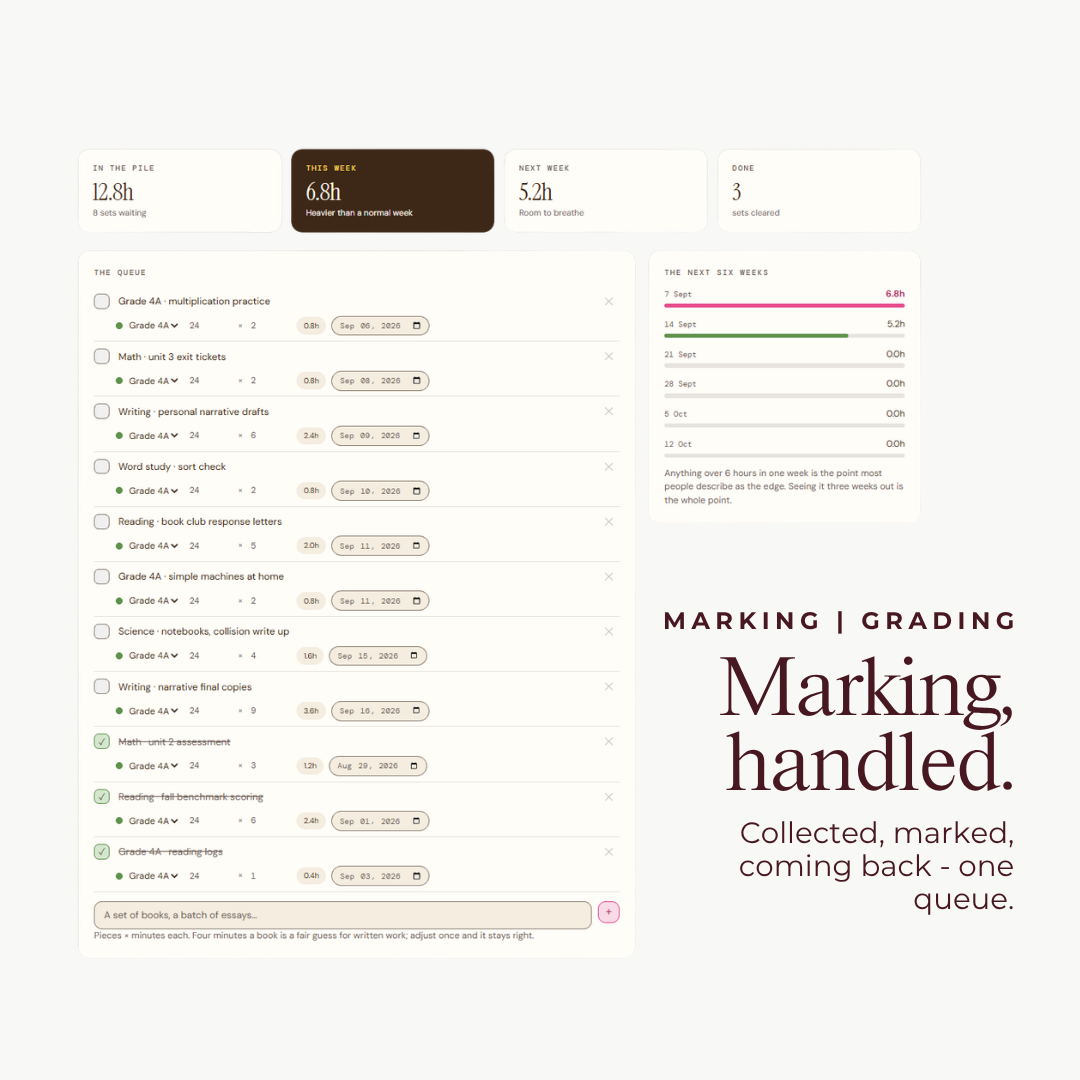
Marking is manageable until it isn't. Your planner helps you see upcoming marking across the next six weeks, measured in estimated hours, so you can spot busy periods before they arrive. Move an assessment or collection date and instantly see how it affects your workload.
Know Exactly Who Has handed in What.
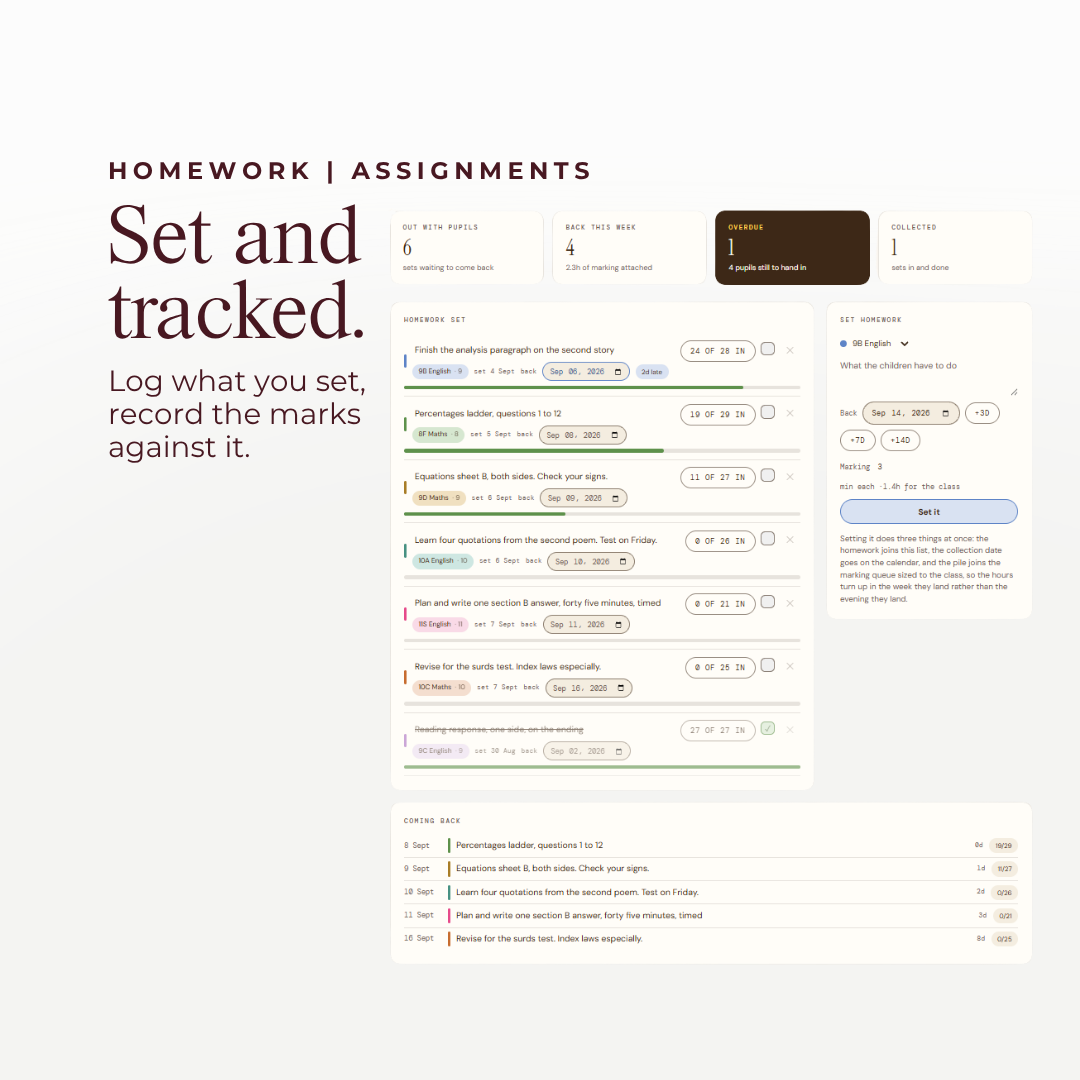
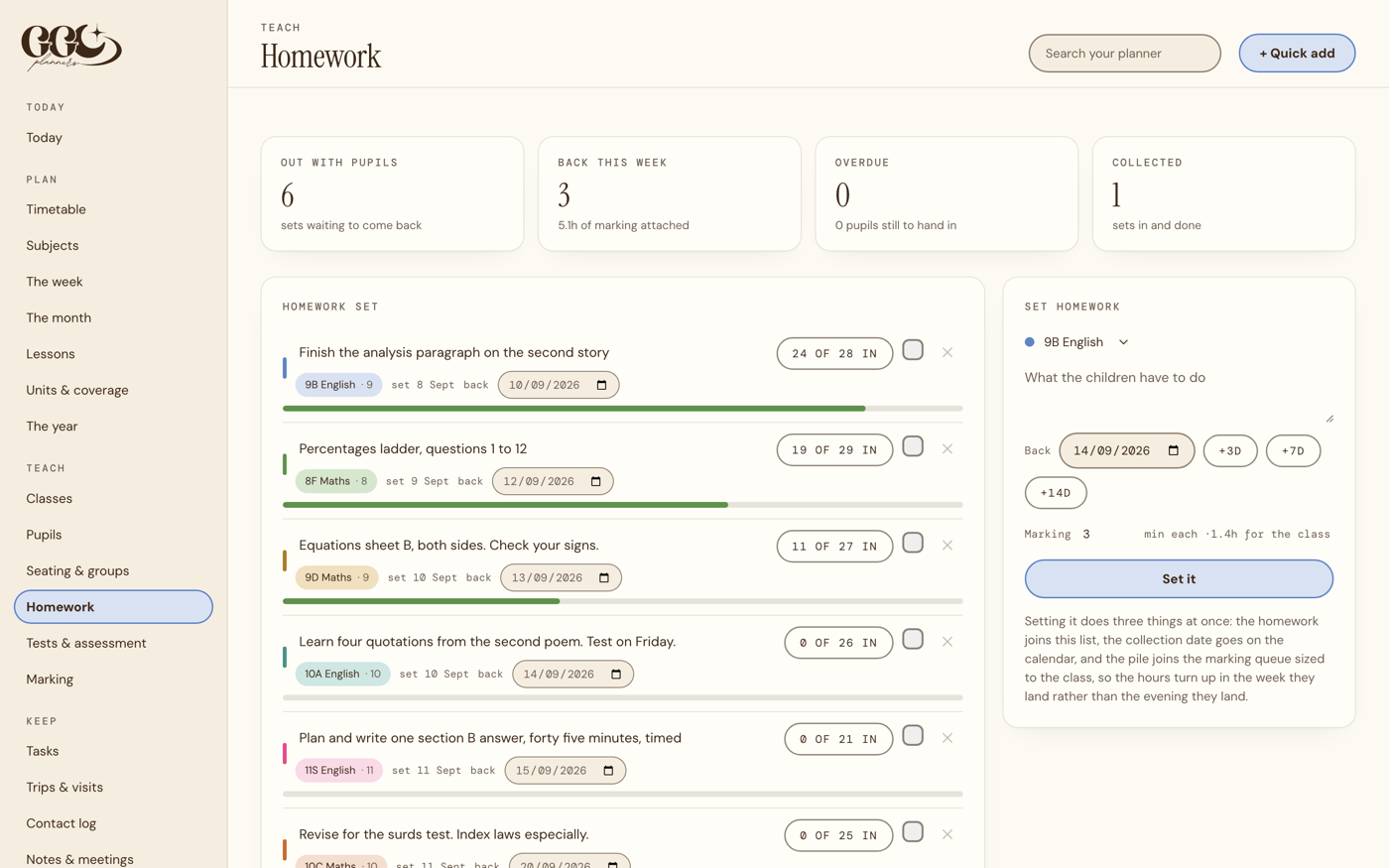
Set it once and three things happen together: it goes on the list with a tick beside every student, the date lands on the calendar, and the marking joins the pile sized to the class. You always know exactly who has not handed in, and one tap puts those names on today's list.
Create a cover plan in minutes.
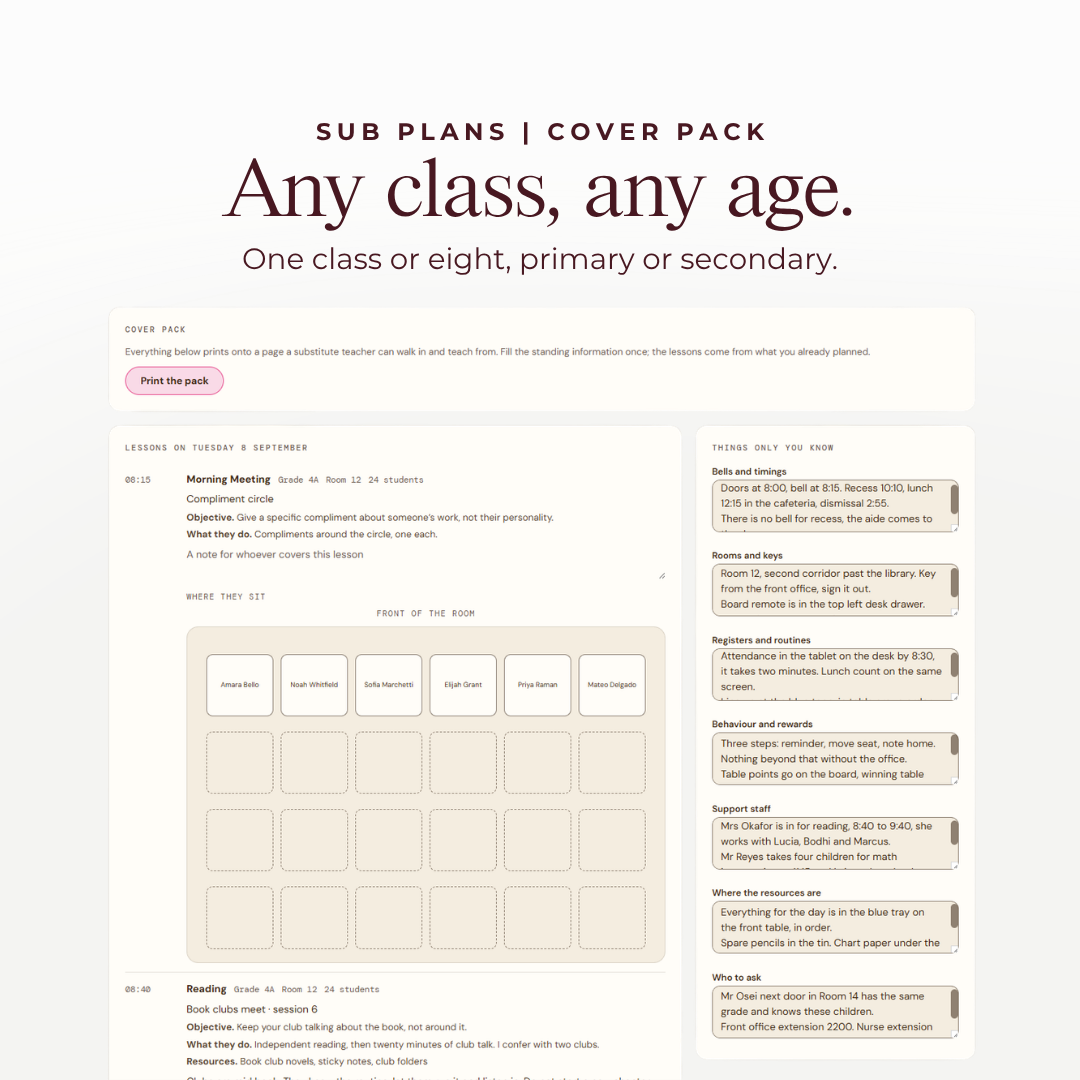
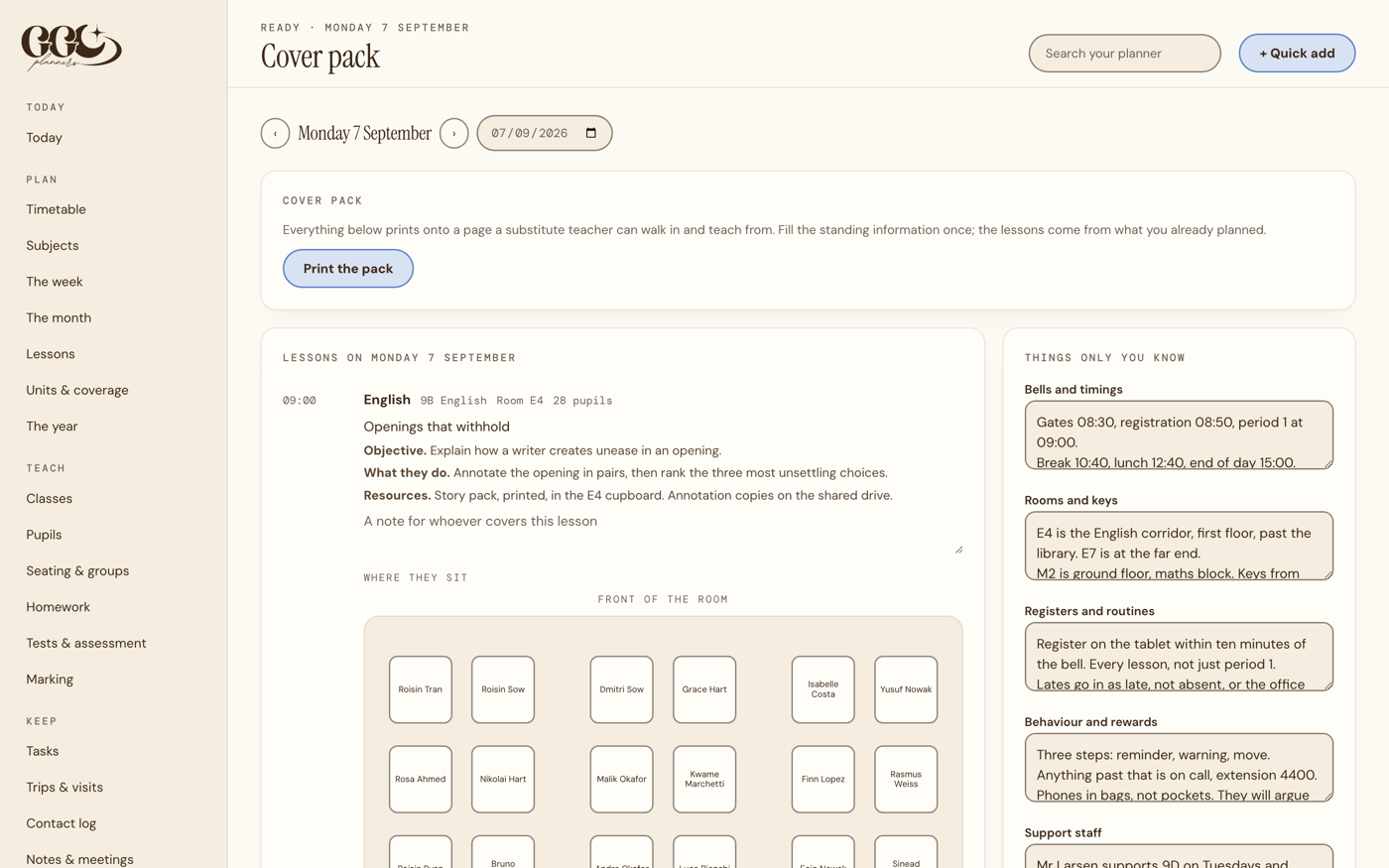
One button prints your lessons, your rooms, the seating chart with names on the desks, and the things only you know about that class. Cover pack, or sub plans, whichever your school calls it.
One product, three completely different teaching experiences.
Built for how you actually teach.
Whether you're teaching one class all day or juggling multiple classes and periods, your planner adapts to you. At setup, simply choose your teaching style.
Primary and elementary
Plan your entire day around your class. Use named timetable blocks and subjects to organise lessons, tasks and your teaching day in one clear view.
Secondary and high school
Manage multiple classes without losing track of anything. Use numbered periods, class colours and optional Week A and Week B and rotating cycle timetables to keep every class organised.

Schools on a rotating cycle
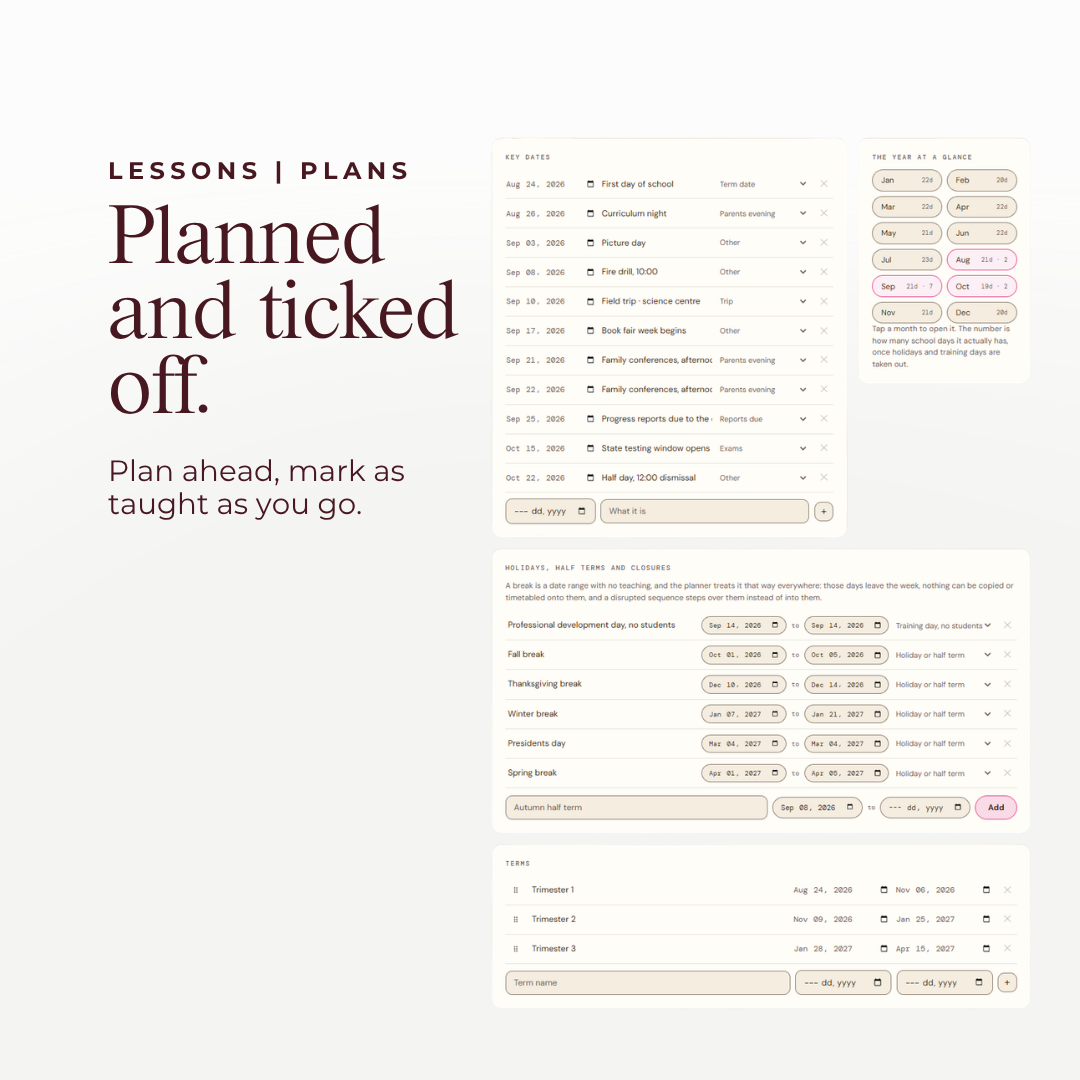
Day 1 to Day 6, A day and B day, or anything up to 19 days. You give it the cycle length and the date Day 1 fell on, once. It counts on from there over weekends, half terms and training days, so it never drifts out of step with your school.

Seating plans
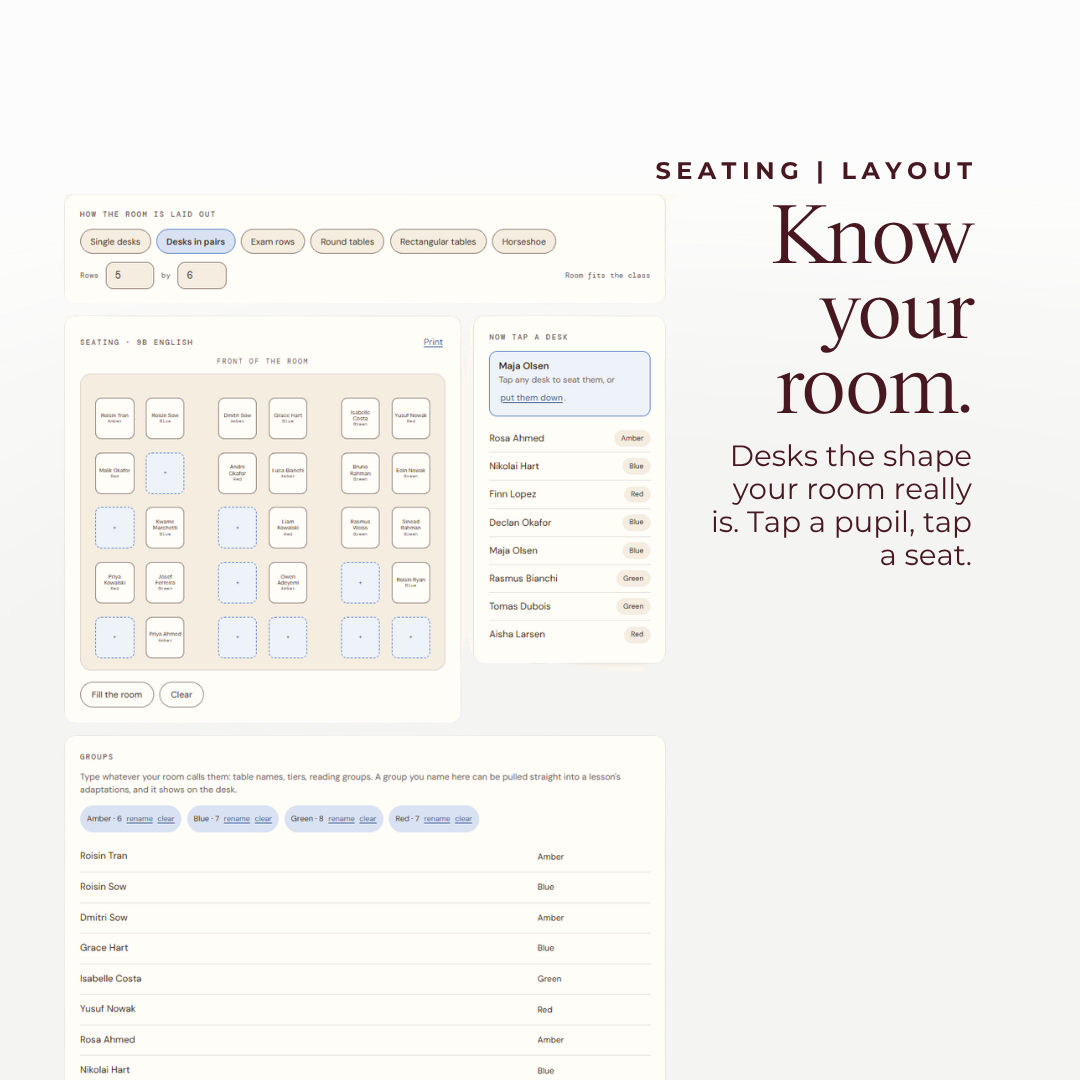
Create seating plans that actually look like your classroom.
Seat everybody in one go, move one child with a tap, print it for the cover pack. No PDF planner can do this.

The rest of the job
What else is in it.
Private by design
Your classes are yours. So is your planner.
A teacher planner holds your week and your pupils. Here is how we look after it, in plain words.
We look after your data under EU and UK data protection law (GDPR). You can ask us to see, correct or delete your information at any time by emailing info@ggcplanners.com. Read our privacy policy
The practical bit
Any device. Offline. Yours.
Reviews
Teacher reviews land here after the first term
We are launching, so there are none yet and we will not invent any. GGC has shipped over 100,000 planners; this is the first one you sign into.
Questions
The things you are probably wondering.
No. It is a web page you sign into, and you can add it to your home screen so it opens full screen like an app. Nothing to install and nothing to update.
Yes, and it syncs between your devices. It is best on a laptop or desktop, because the timetable and the seating plans want a full screen. Build your week on a computer once, then the day to day is quick from anywhere.
No. You buy it once.
Yes. It uses your country's words automatically and you can change them in Settings. Nine countries have their own vocabulary and everywhere else gets a neutral setting. No feature is limited by where you teach.
Yes. Choose a rotating cycle in Week setup, say how many days are in it, anywhere from 2 to 19, and give it the date Day 1 fell on. It counts on from there for the rest of the year, straight over weekends, half terms and training days, so it cannot drift. You choose whether an unexpected closure pauses the cycle or skips that day, and you can rename the days to whatever your school calls them.
Yes, you choose. On your timetable, under Which week is it, pick Carry on where we left off. A week that is all holiday is skipped, so if you break up on a Week B you come back on a Week A. Or keep counting every week, if that is what your school does.
Yes. Paste the address into a lesson and it becomes one tap from your day, your plan and your cover pack. It names them for you, so a folder shows as Google Drive and a deck as Google Slides. Docs, Sheets, Forms, Classroom, YouTube, OneDrive and PDFs too. On paper they print as the full address, so whoever covers you can still find them.
Tap Undo straight away. Or later, find that day on The week and tap Put back. Every lesson that moved goes back to the slot it came from, and if you have planned something new there since, that class stays as it is so nothing doubles up.
It is built for both, and it asks you which at the start. A primary planner is named blocks with a subject on every slot. A secondary one is numbered periods, several classes and an optional two week cycle.
Yes, and if your school would rather you did not, you can show every student as a number instead. Either way it deliberately does not hold medical, dietary or behaviour records. Those belong in your school's own system.
It is built to make that easy. Keep it to names, groups and teaching notes, show pupils as numbers if your school prefers, and leave medical and safeguarding records in your school's own system, where they belong. Your planner is private to your account and encrypted, and we never sell it. If your data protection lead has questions, email info@ggcplanners.com and we will answer them.
Not any more. The planner used to need a second web address, and some school filters block it, which is why a few teachers saw an error on a school laptop. It now runs entirely from its own address, so if your school lets you open it, it works. Nothing for your IT team to approve. It also saves on your own device first, so it keeps working with no connection either way.
It is yours to keep. Download a backup any time. And when a new term starts there is a button for it: name the term, give it dates, and it clears out what last term finished with while keeping your timetable, your classes and every lesson you taught.
Yes. Signing out clears your planner from that machine.
One last thing
Open one thing, know what today needs.
Fill your timetable in once, then spend the rest of the term reading it instead of rewriting it.