


✦ New · GGC Digital Life Planner
Design Your Best Life Digitally!
Your days, habits, meals, goals, lists and trips in one planner you sign into. No subscription, and no more jumping between six different apps.
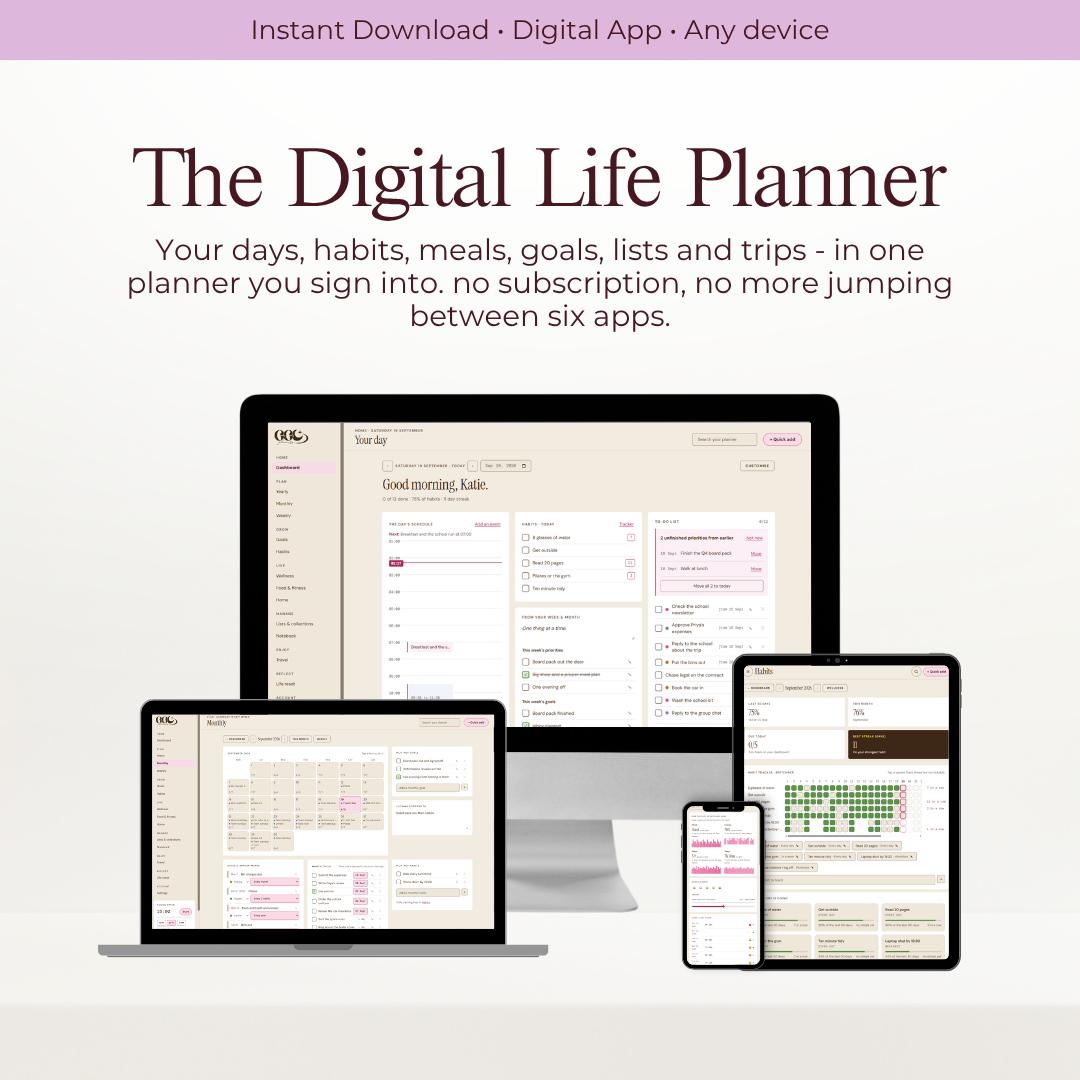



See it before you buy it
Watch it in action.
Sound familiar
Your life is spread across too many apps.
A calendar for appointments, a notes app for lists, another app for habits, a spreadsheet for the budget and the rest in your head. Each one wants its own login, and some want a monthly fee.
One place
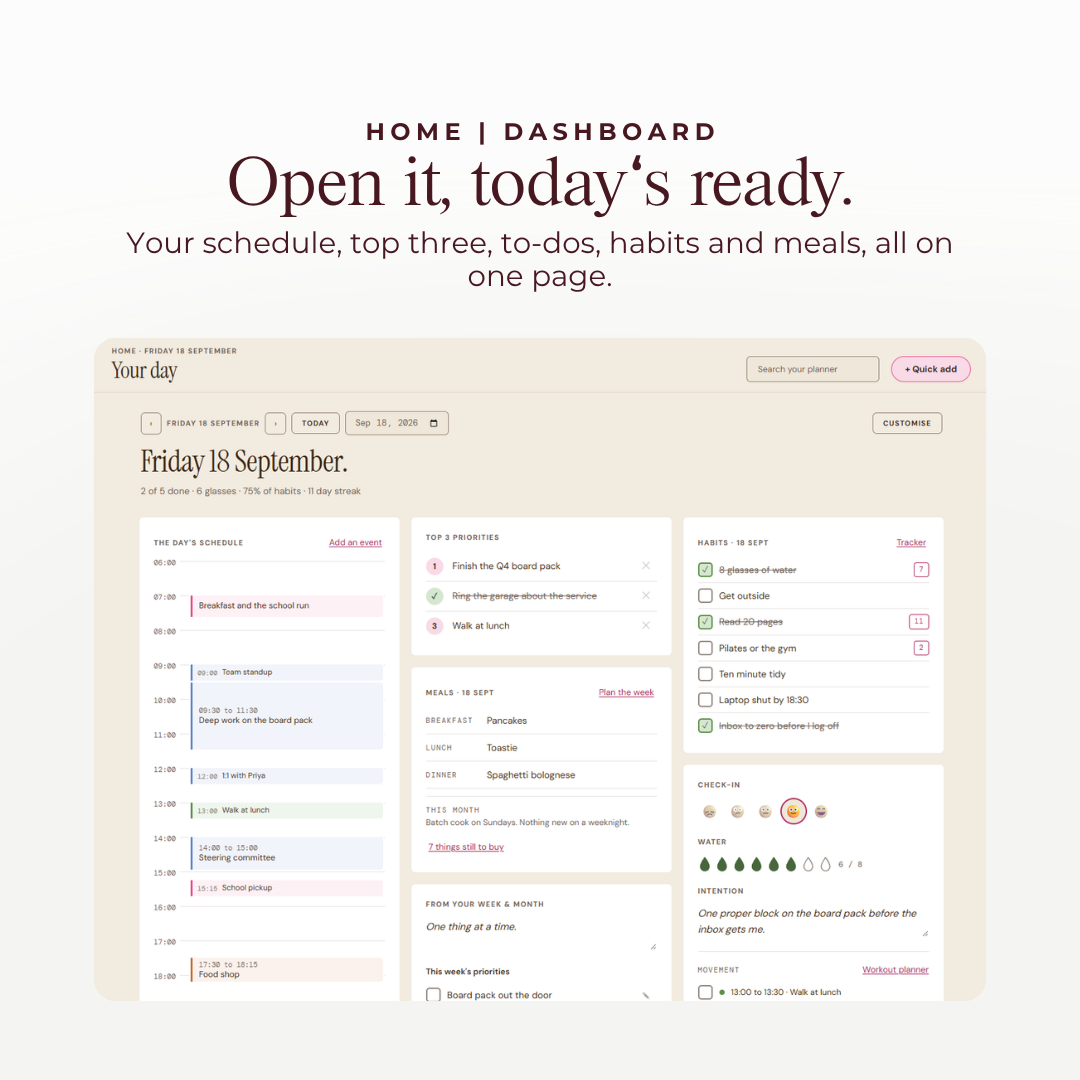
Open it and today is ready.
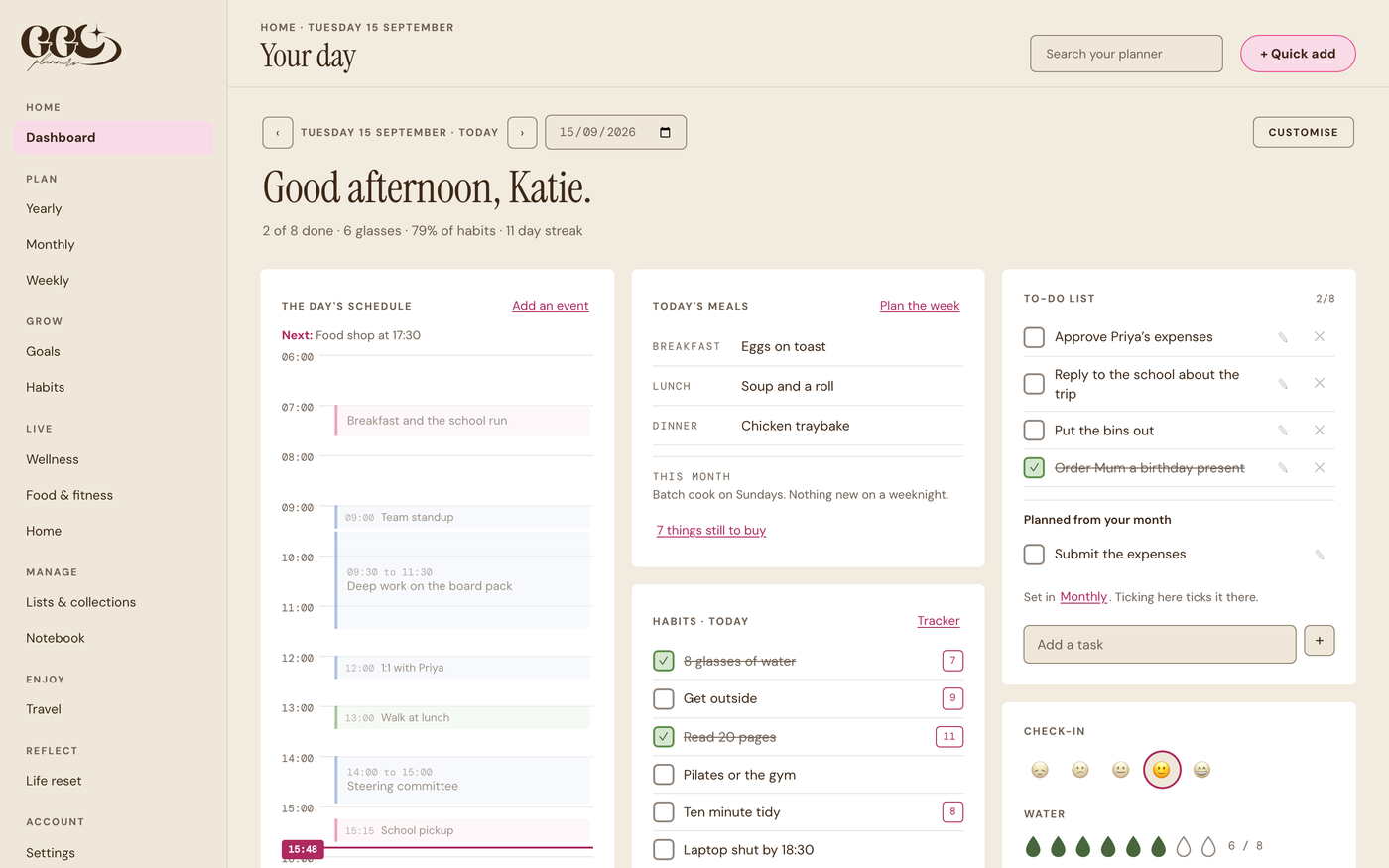
The dashboard is your day. Your schedule against the clock, your top three, your to-do list, your habits, your meals and a quick check in, all on one page. Step to tomorrow and the whole page becomes tomorrow.
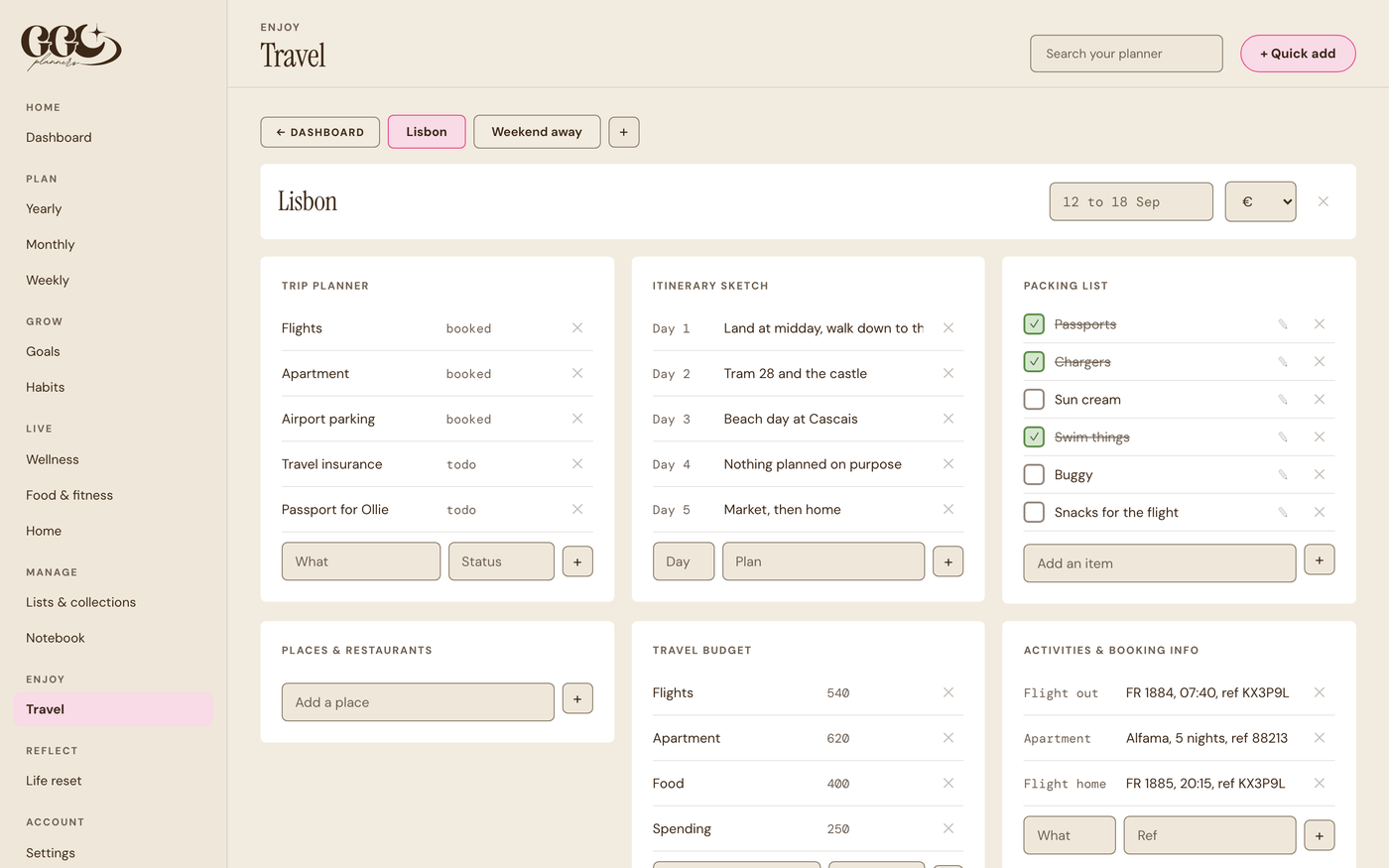
What makes it different
The parts other apps leave out.
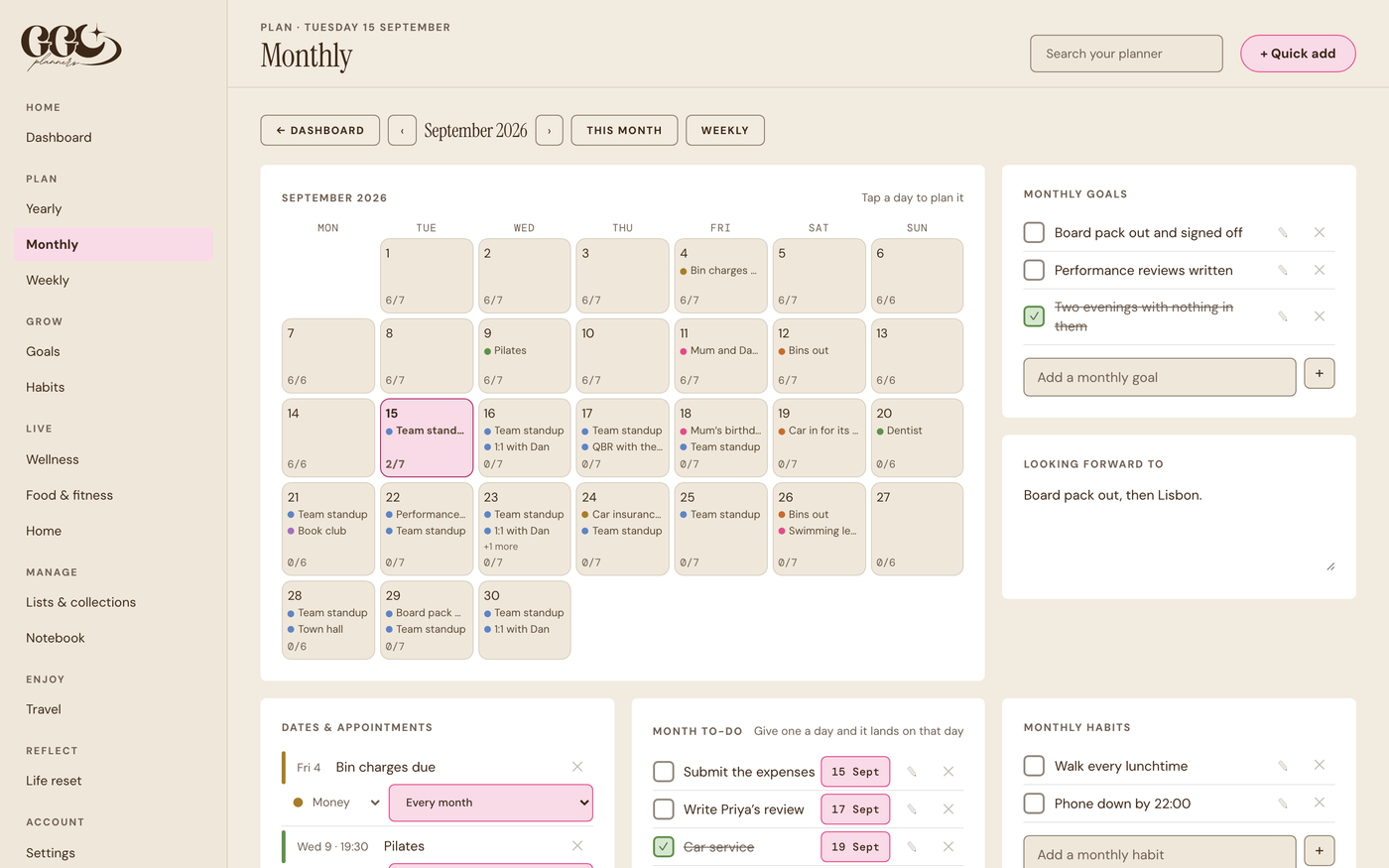
Plan it once, it lands on the day
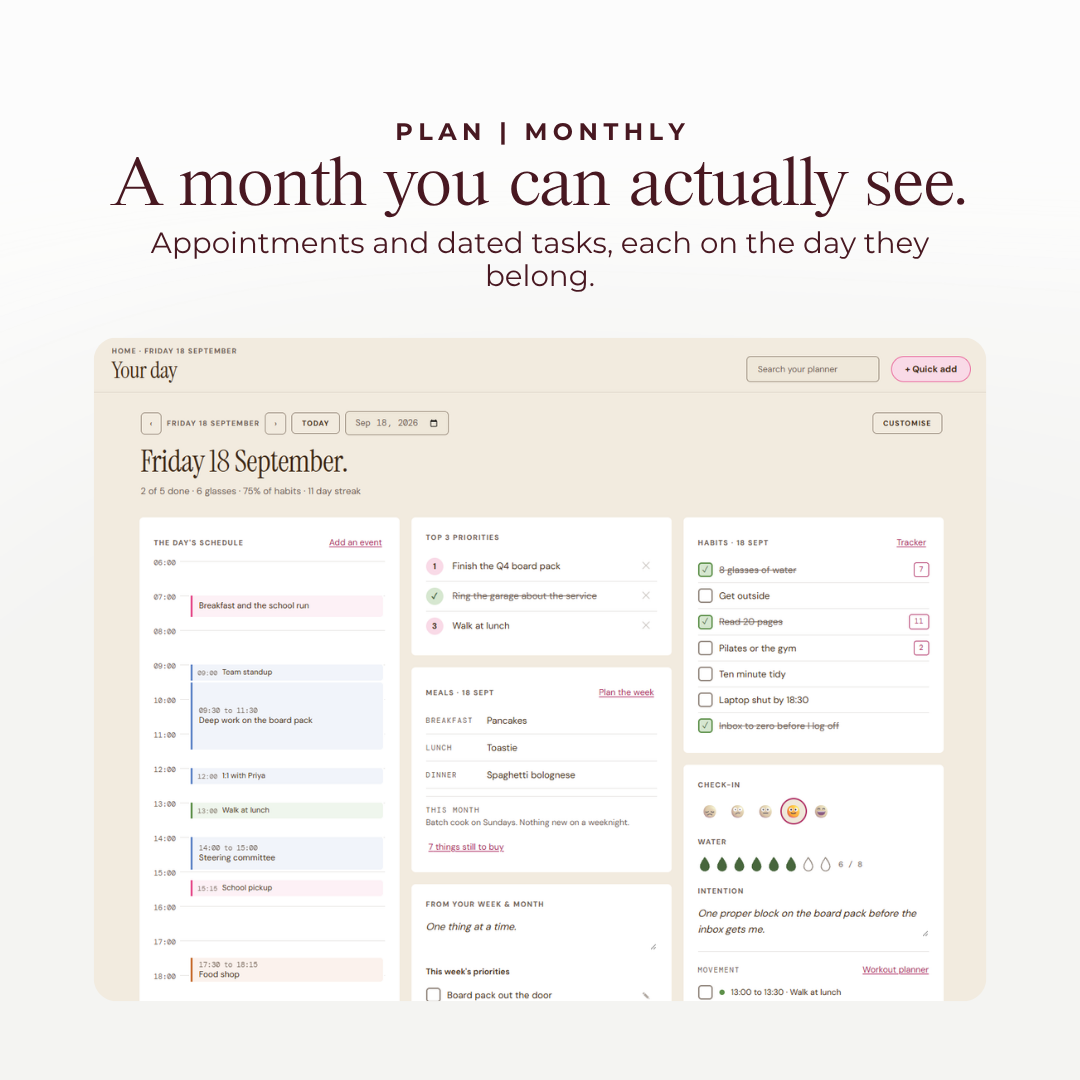
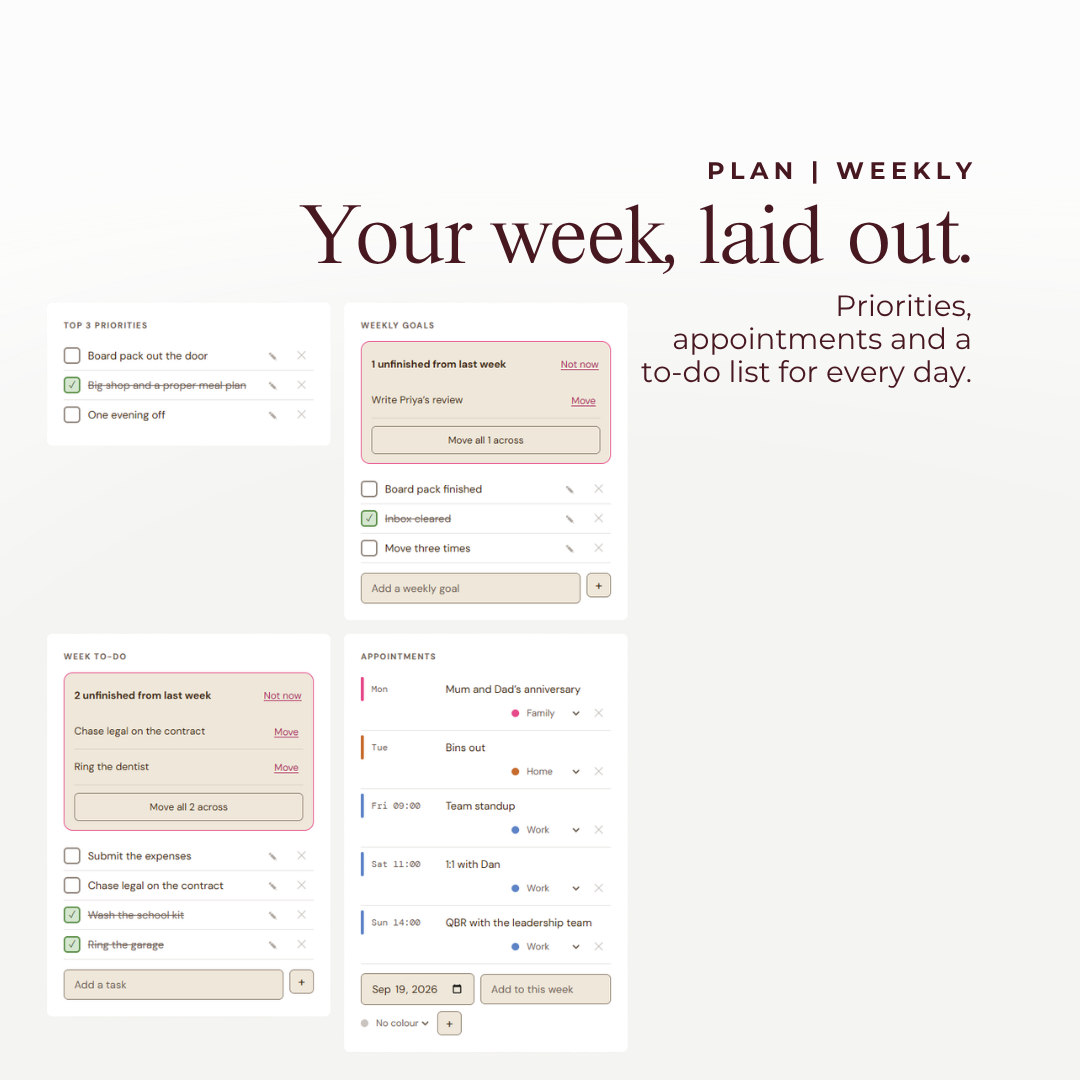
Give a monthly to-do a date and it turns up on your dashboard that morning. Appointments and dates can repeat every day, weekday, week, fortnight, month or year. And a to-do you did not tick off moves to today by itself, so nothing gets lost overnight.
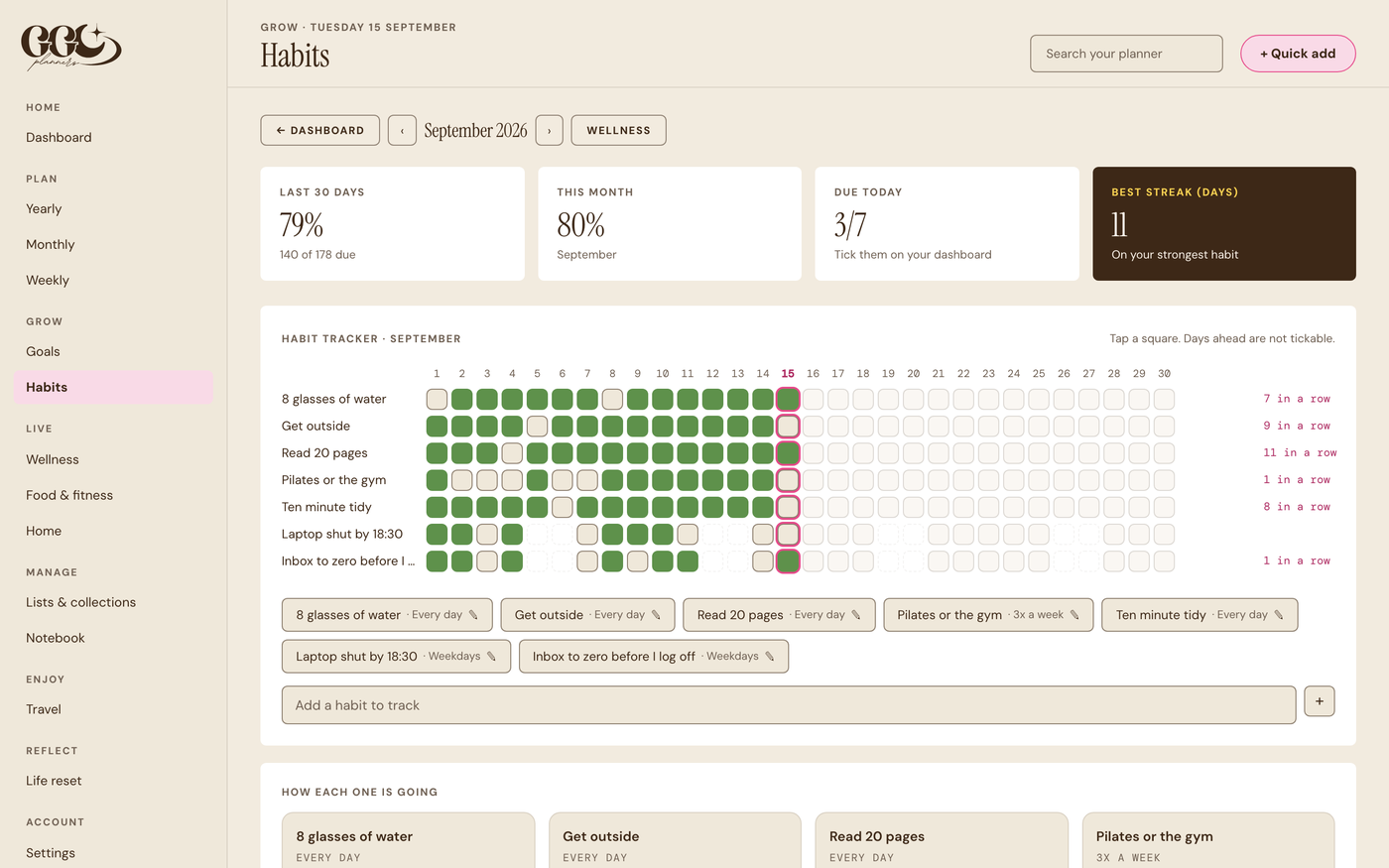
Habits that know how often
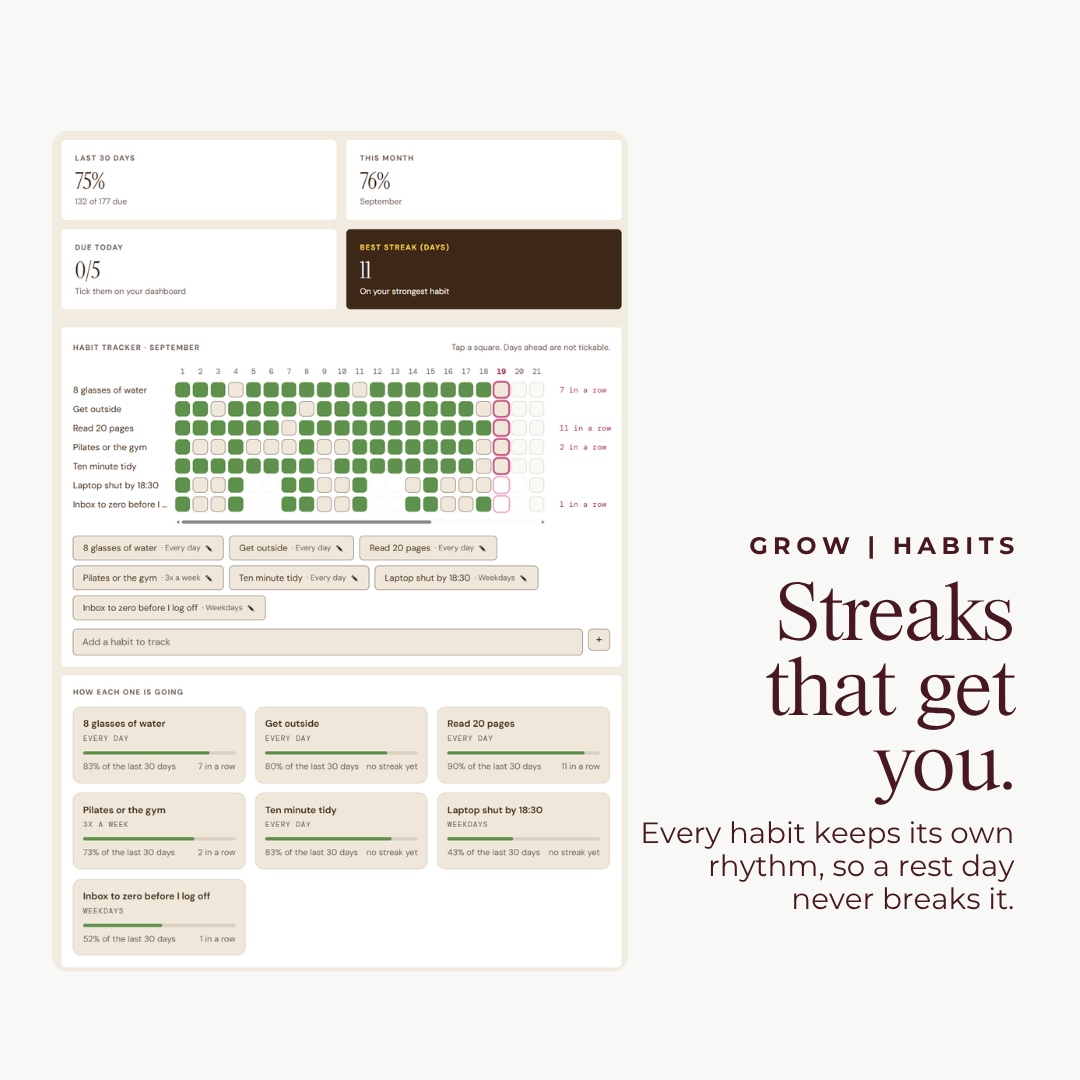
Going to the gym three times a week is not a daily habit. Every habit has its own rhythm, so a rest day never breaks your streak, and one tick on your dashboard counts in the monthly tracker too.
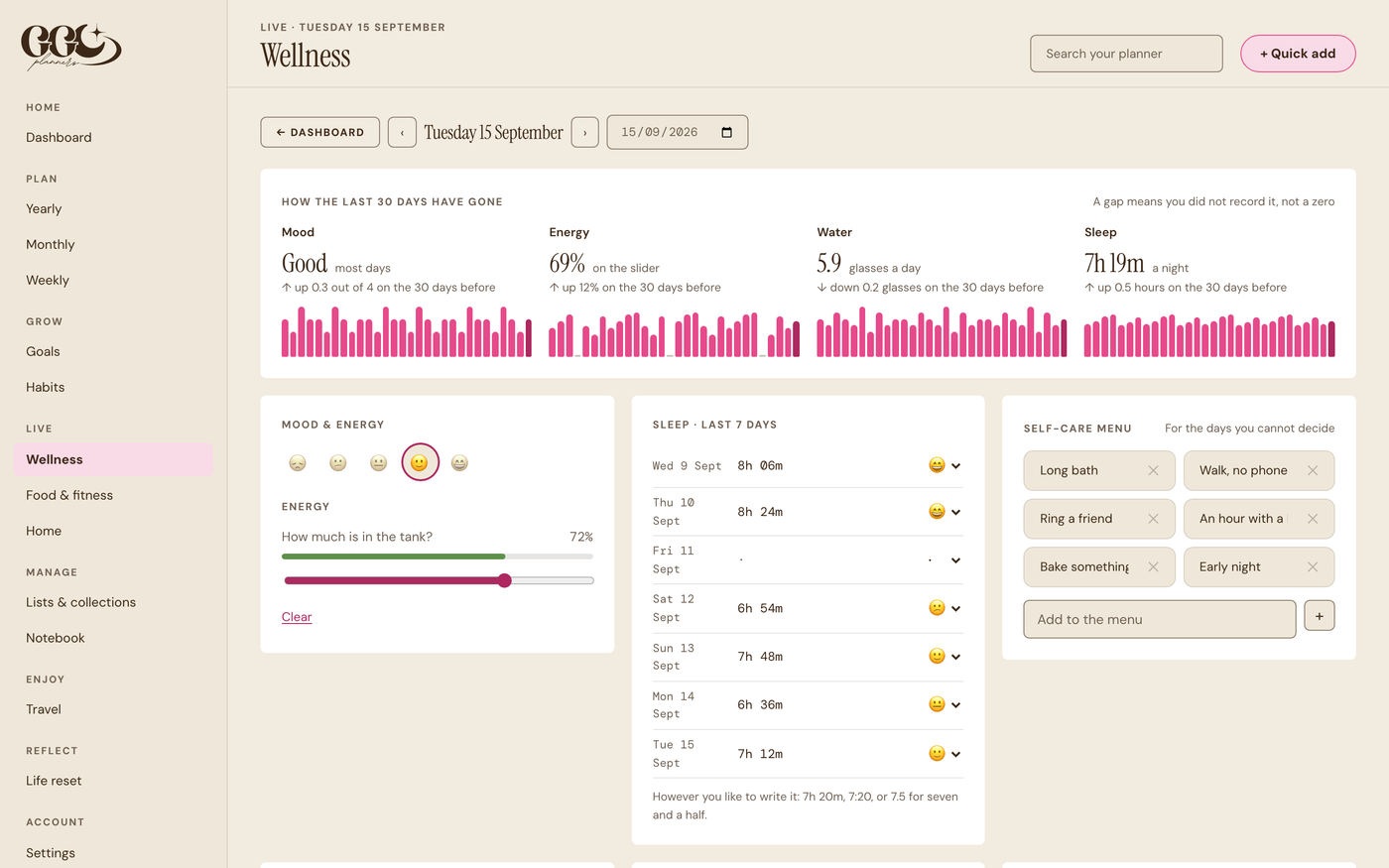
See how the last 30 days really went
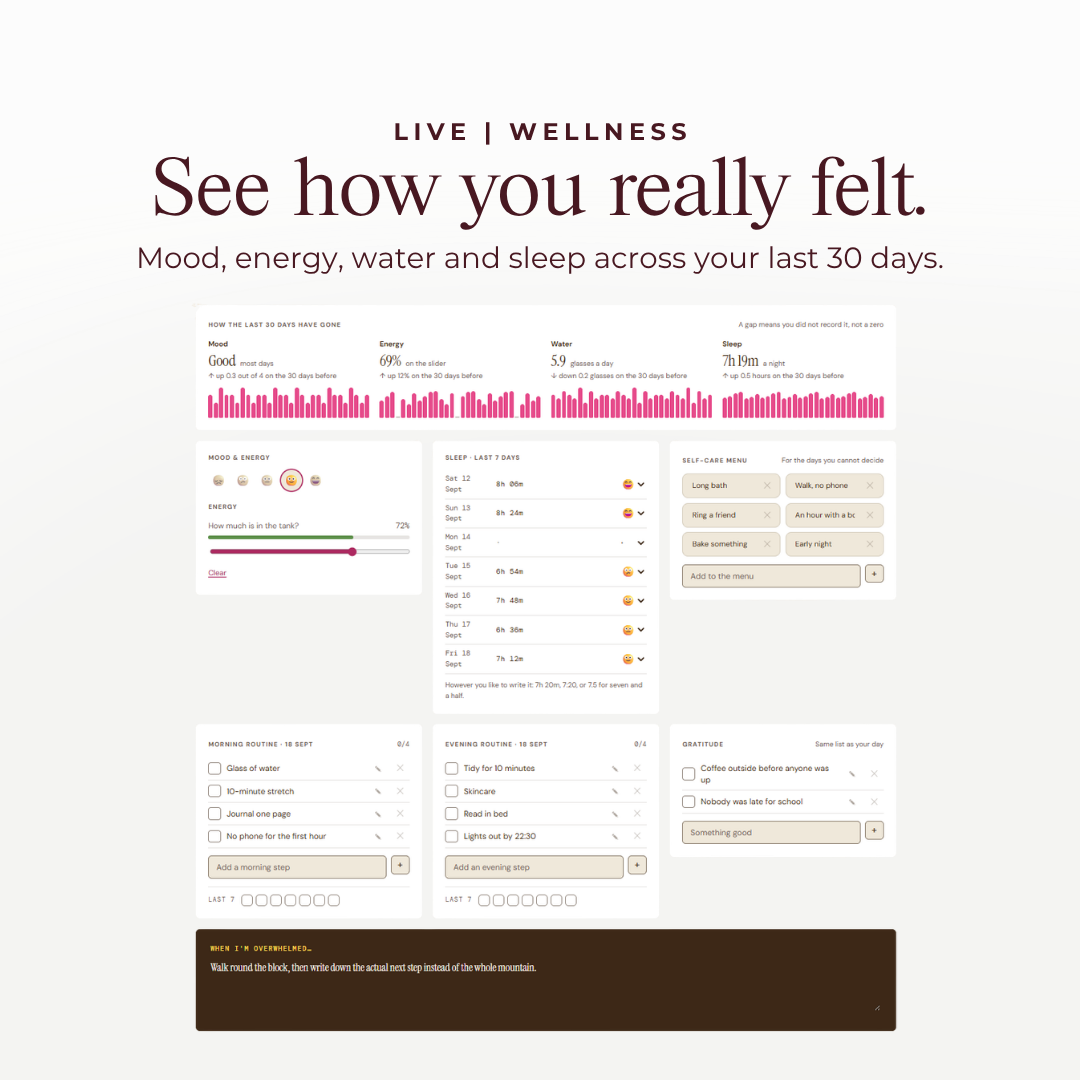
Log your mood, energy, water and sleep as you go. Wellness shows the last 30 days of each, with an average and how it compares to the month before. A day you missed is a gap, not a zero.
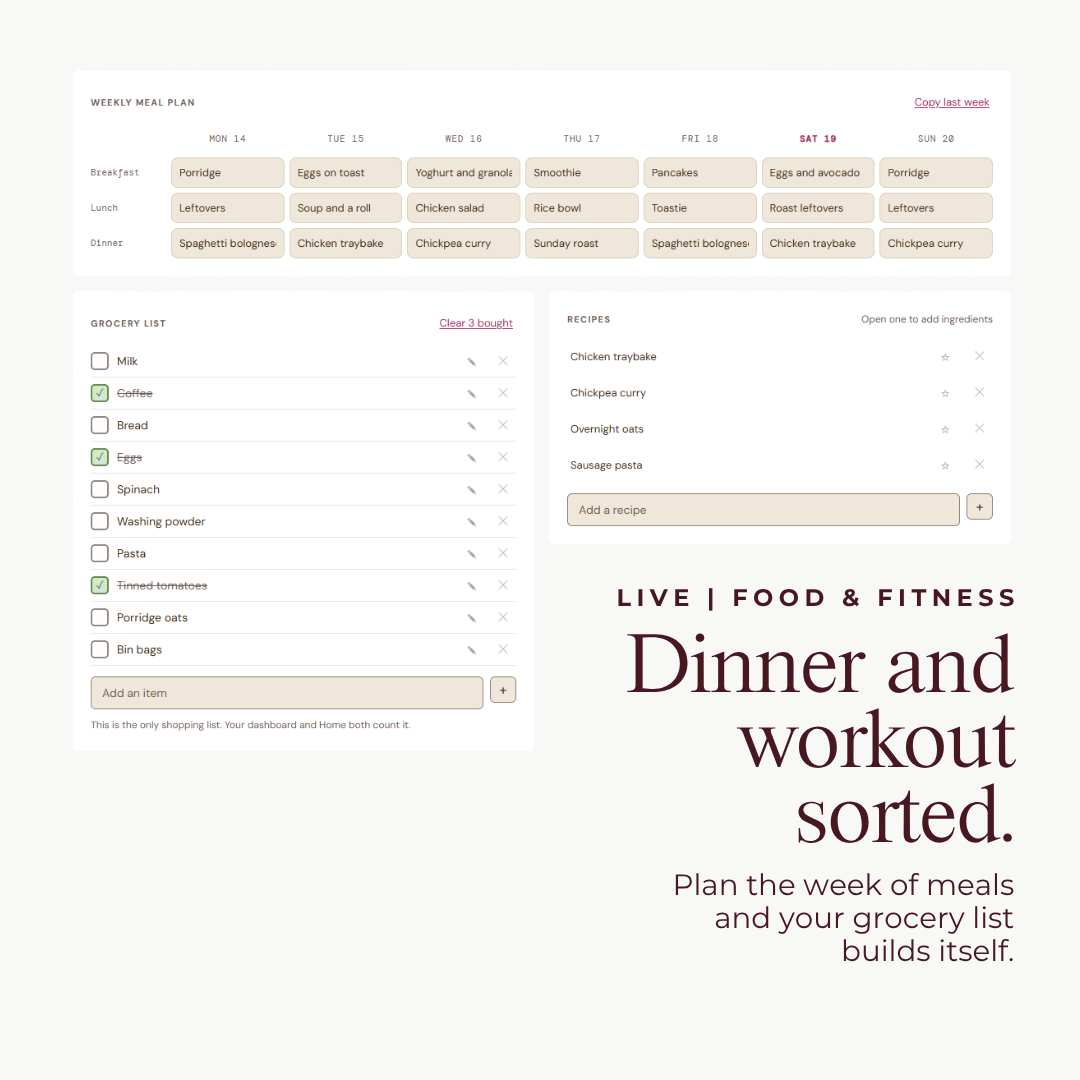
Plan the meals, the shopping list follows
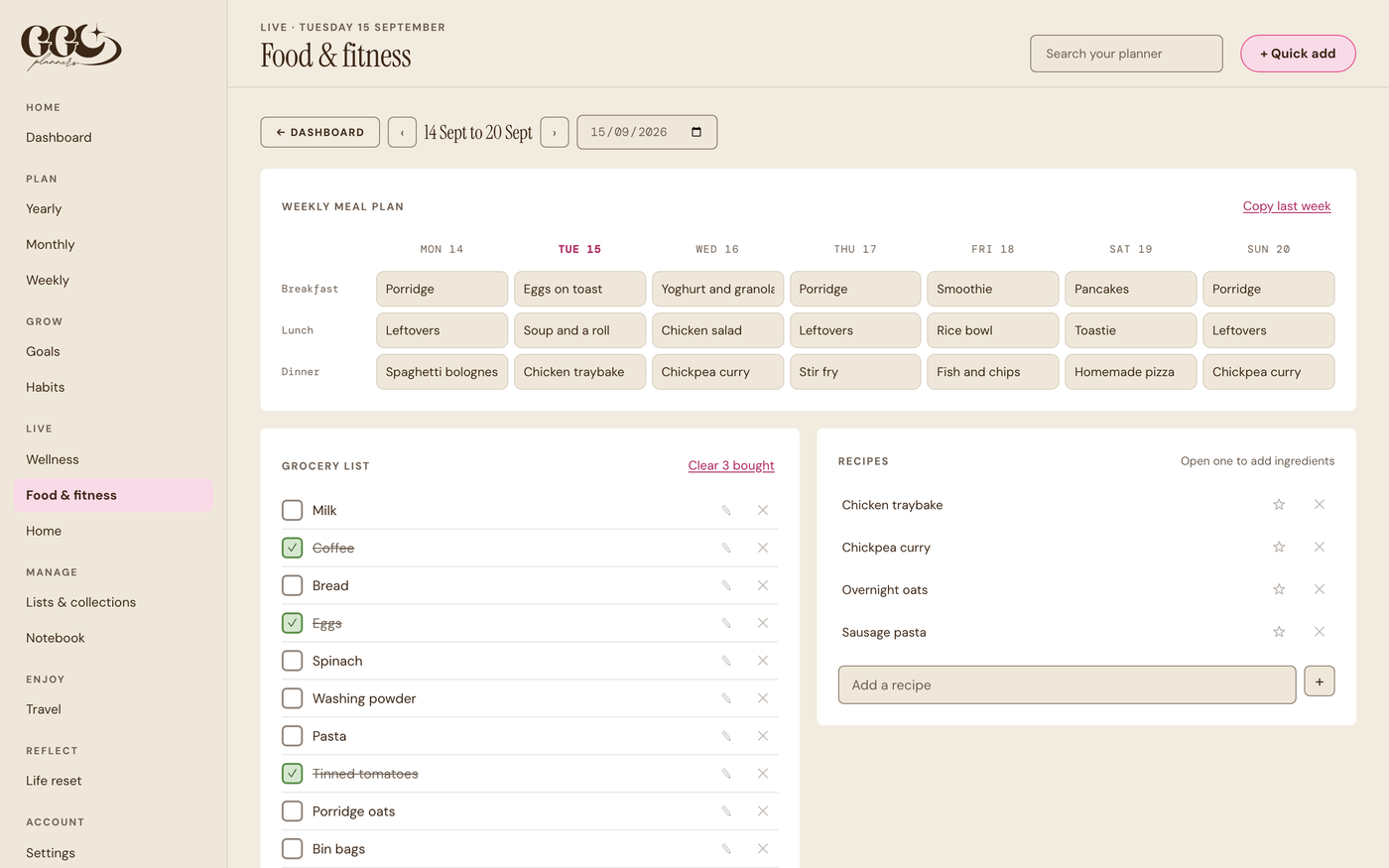
Fill in the week of meals and each day shows what is for dinner. Send the ingredients of a recipe to the grocery list, tick things off in the shop, and copy last week when nothing changes.
Three parts of your life
Everything, not just the calendar.
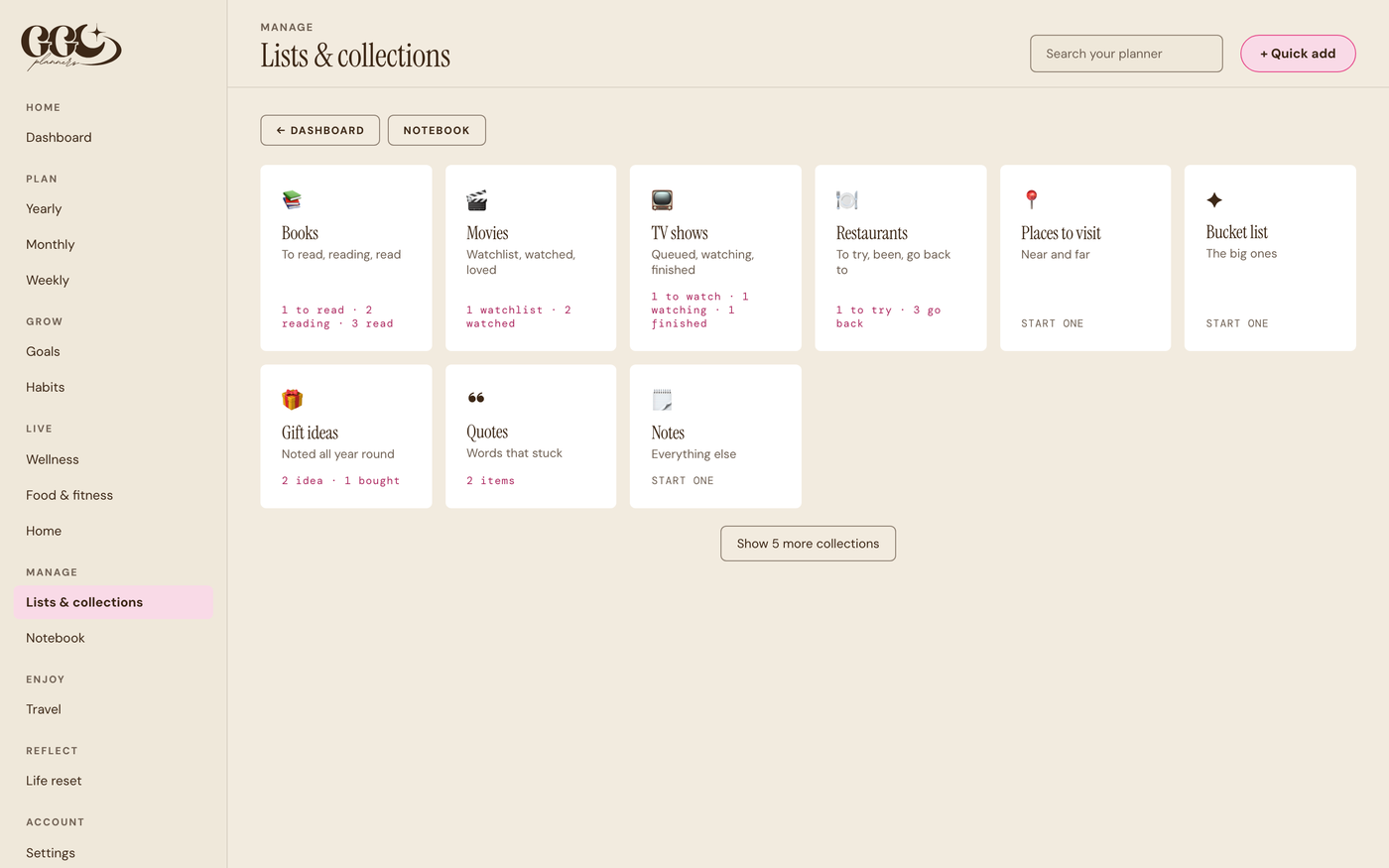
It covers planning your time, growing as a person and running your home, so you are not stitching separate apps together.
Plan your time
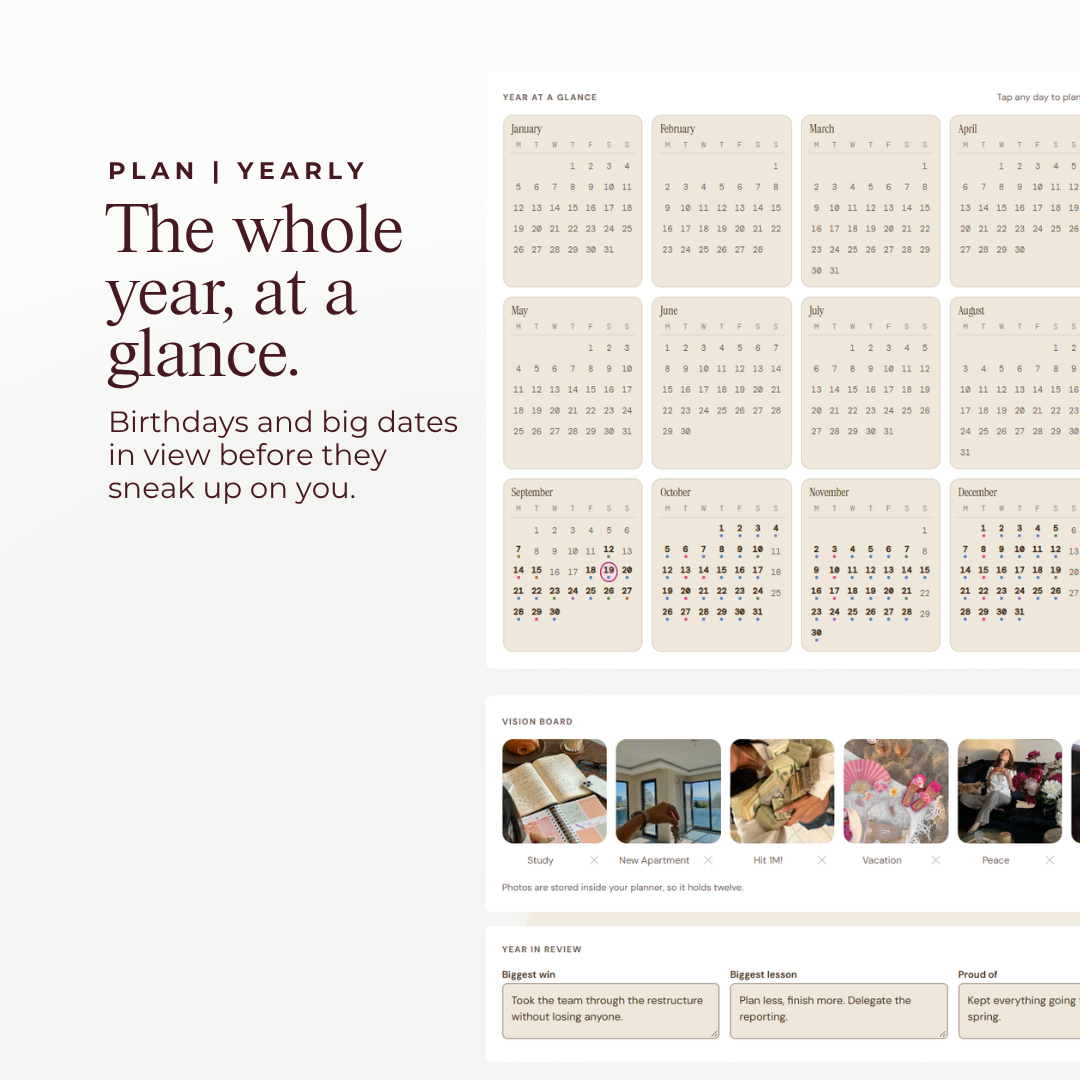
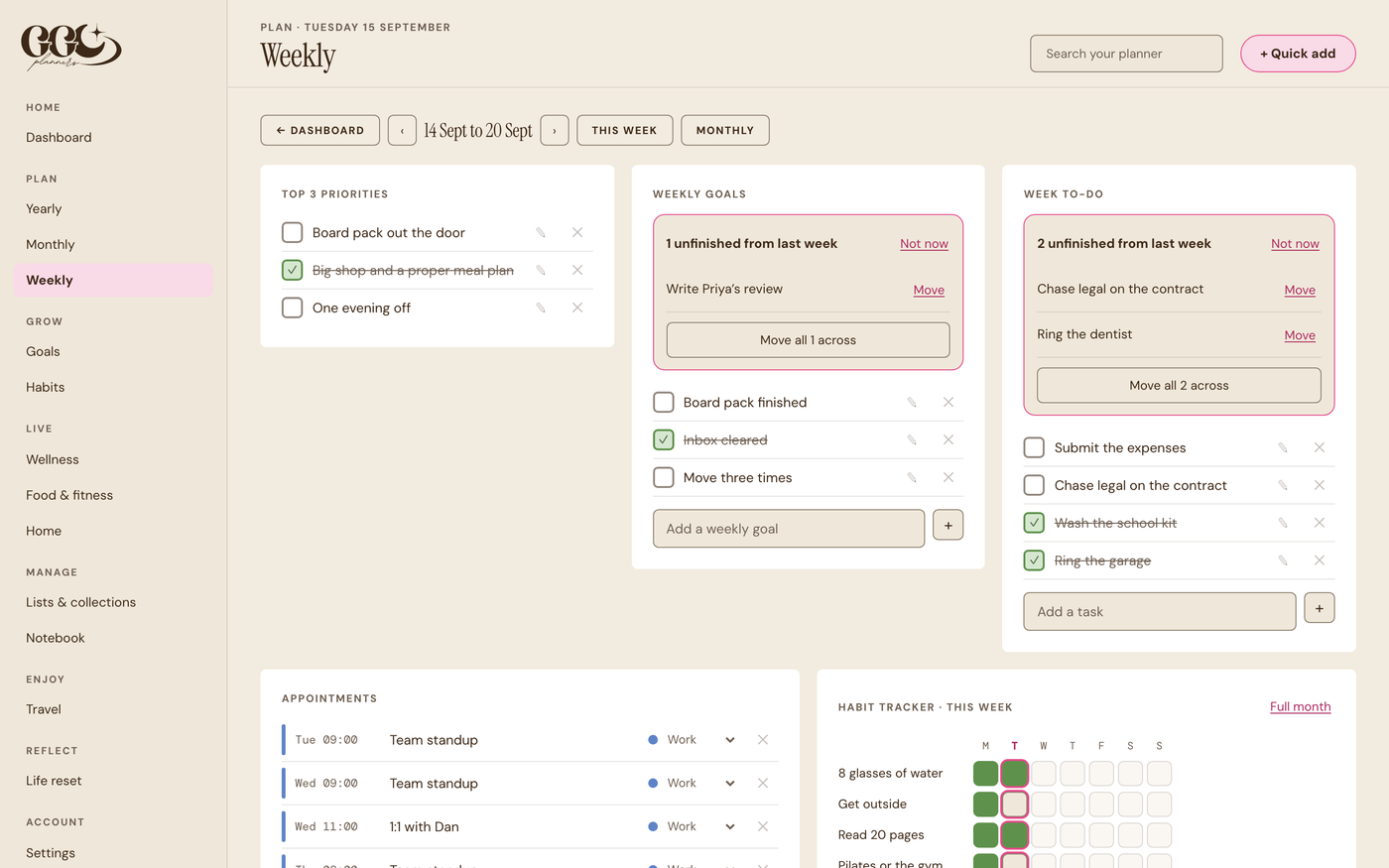
Yearly, monthly and weekly views, appointments, birthdays and important dates. Tap any date to plan that day.
Grow as a person
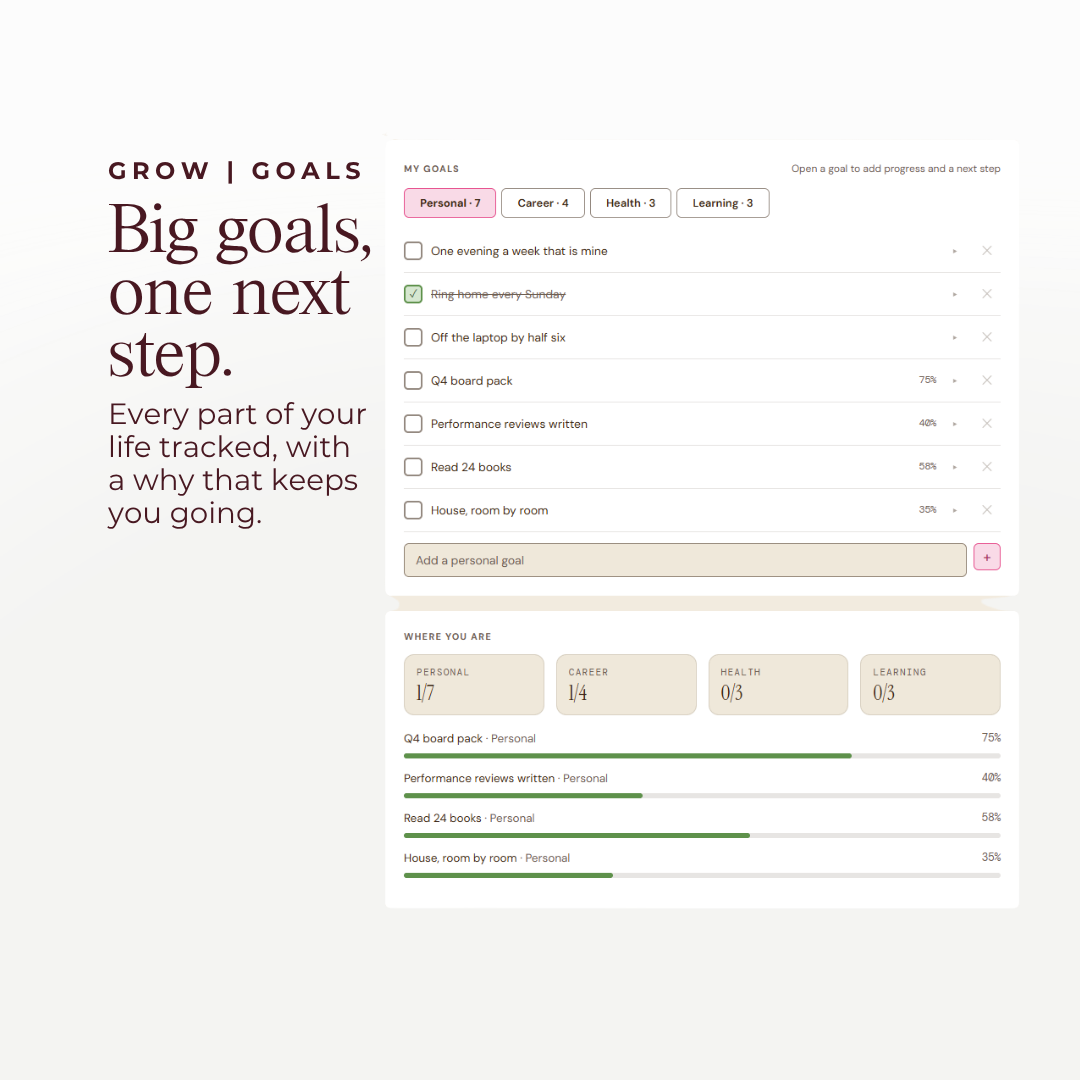
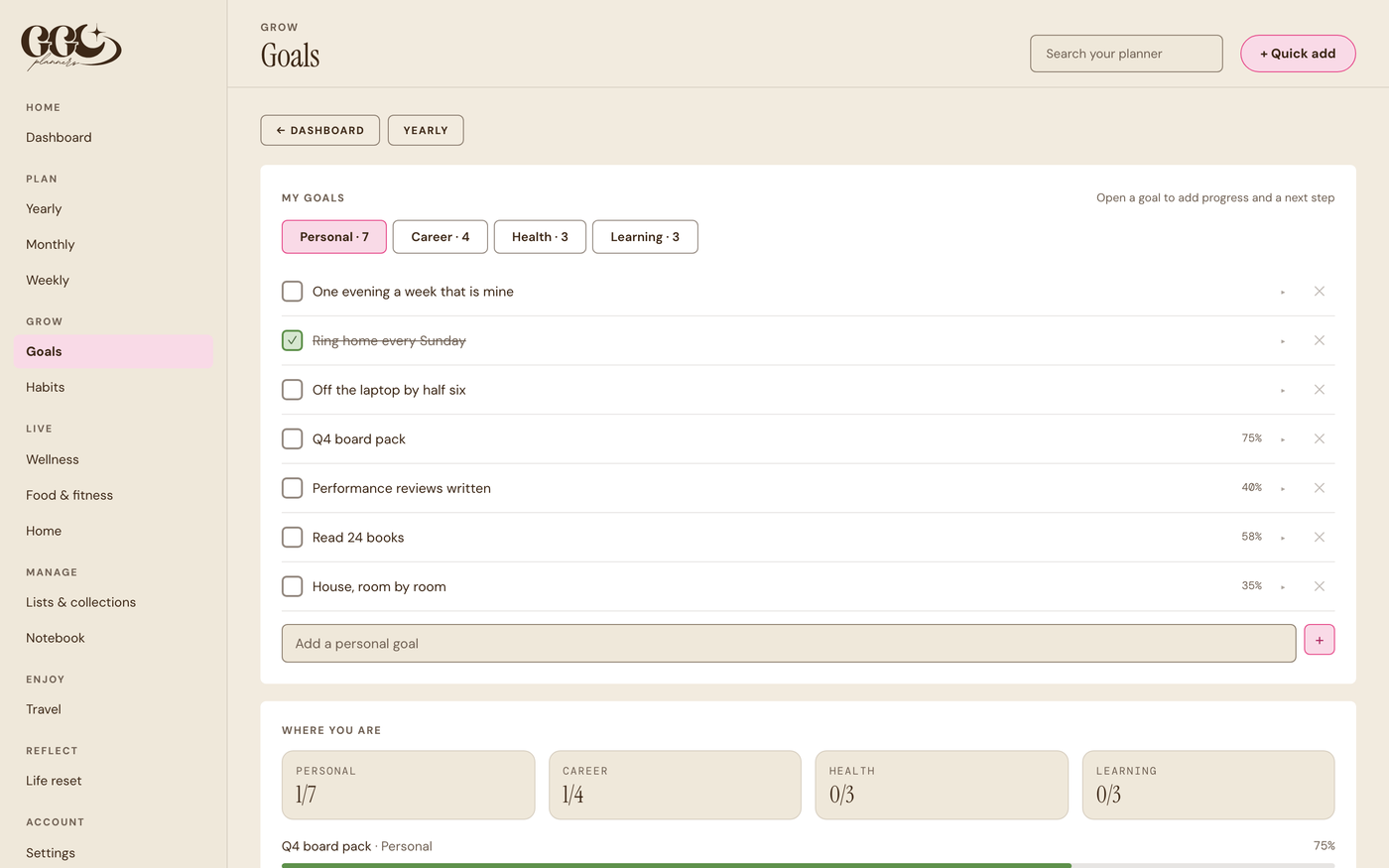
Goals with a next step for this week, habits with streaks, morning and evening routines, and a seven day life reset.
Run your home
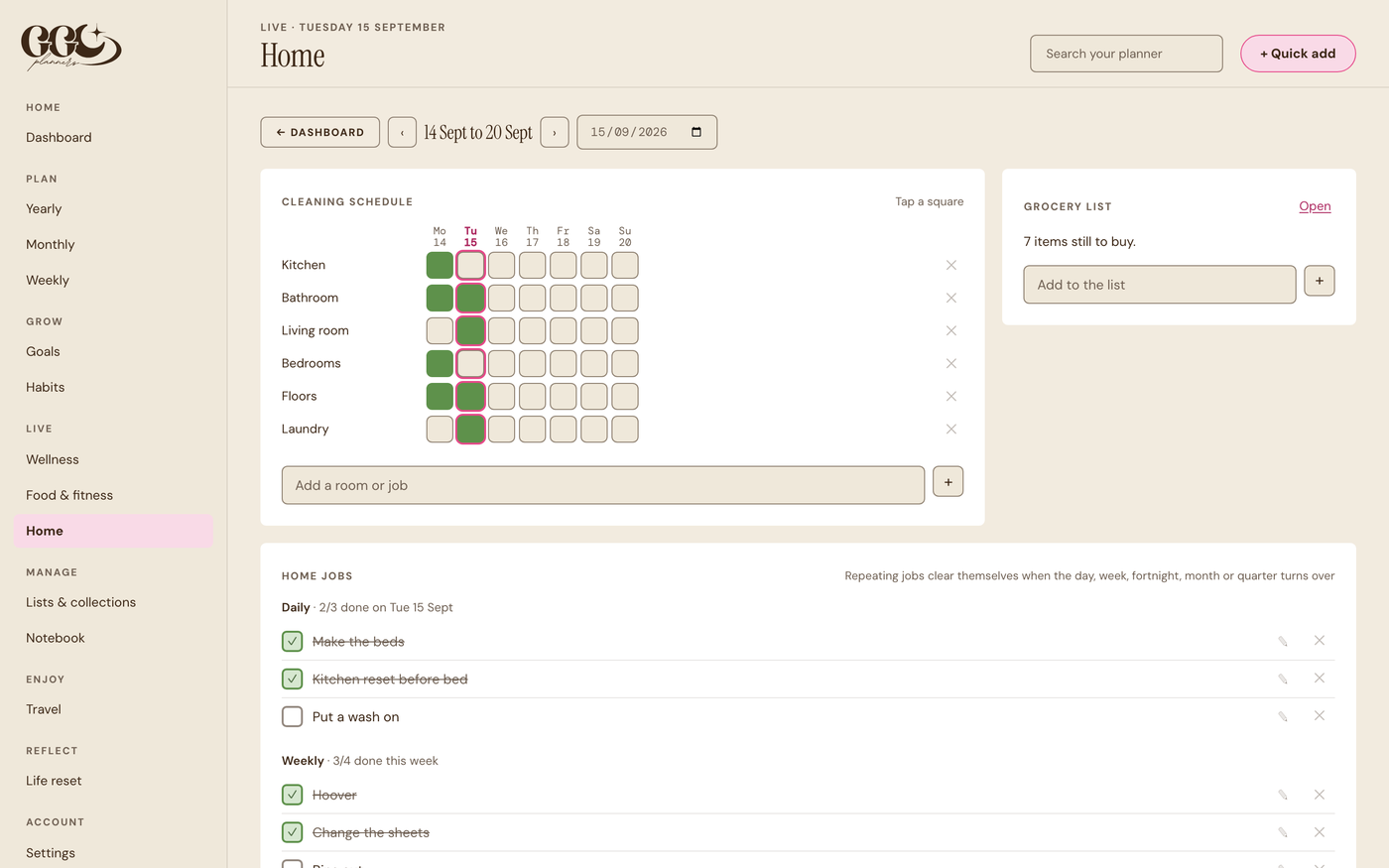
Home jobs that come round daily, weekly or monthly, a cleaning grid, important contacts and a household inventory.
Make it yours
A planner that looks the way you like.
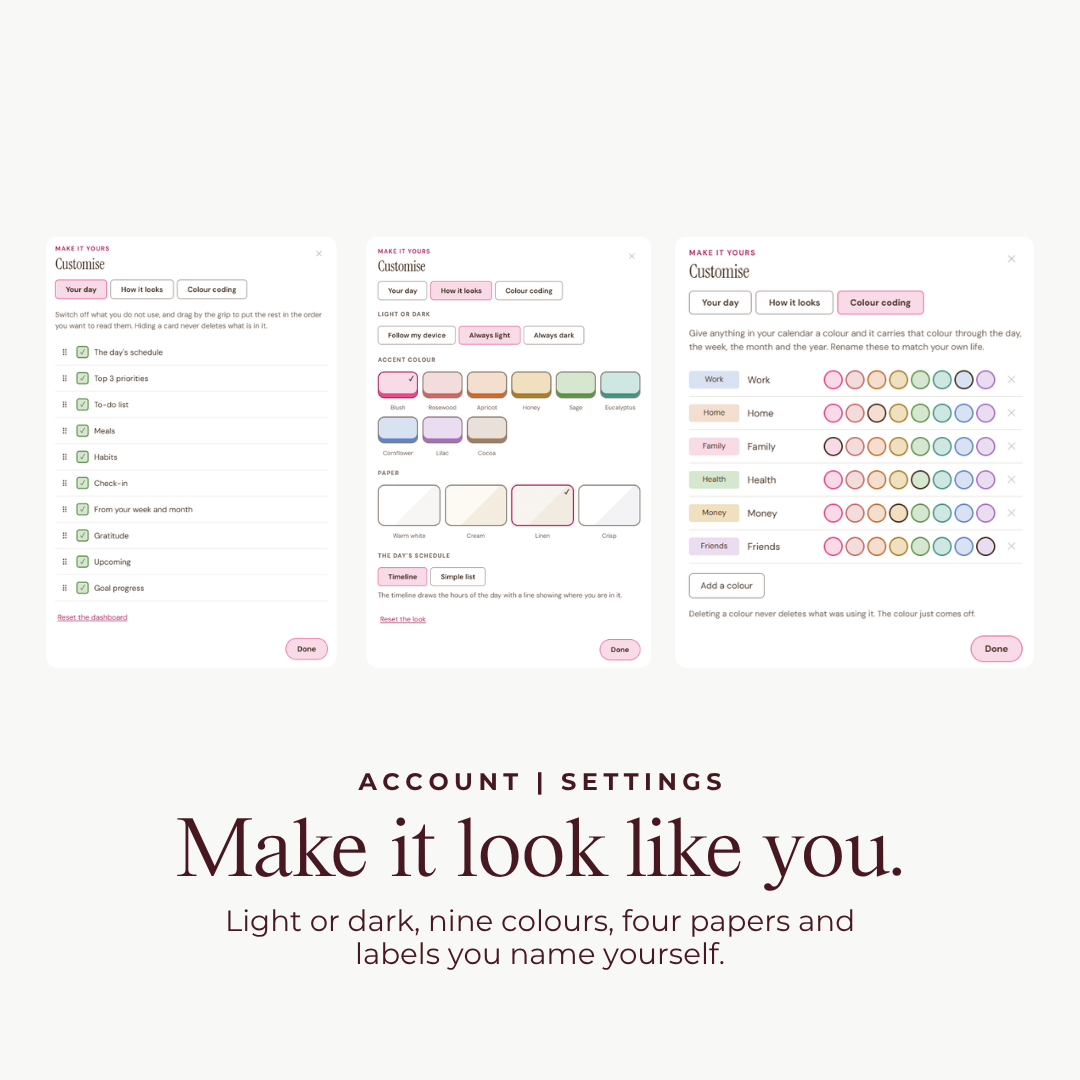
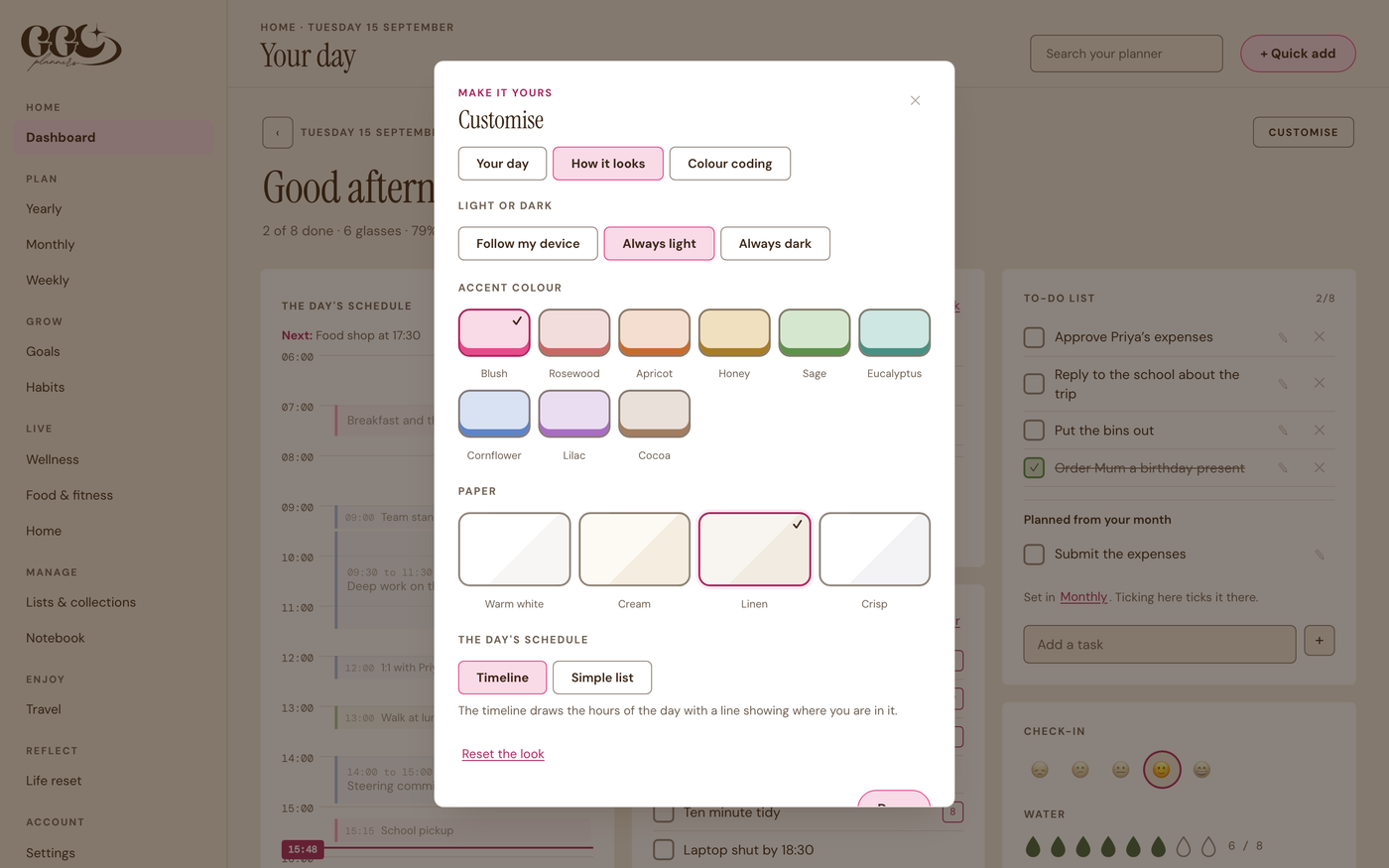
Light or dark, one of nine colours and four papers. Colour code work, family, health and money with labels you name yourself, and hide the cards you will never use.
And the rest
What else is in it.
Private by design
Your life is personal. So is your planner.
A planner holds a lot about you. Here is how we look after it, in plain words.
We handle your data under EU data protection law (GDPR). You can ask us to see, correct or delete your information at any time by emailing info@ggcplanners.com. Read our privacy policy
The practical bit
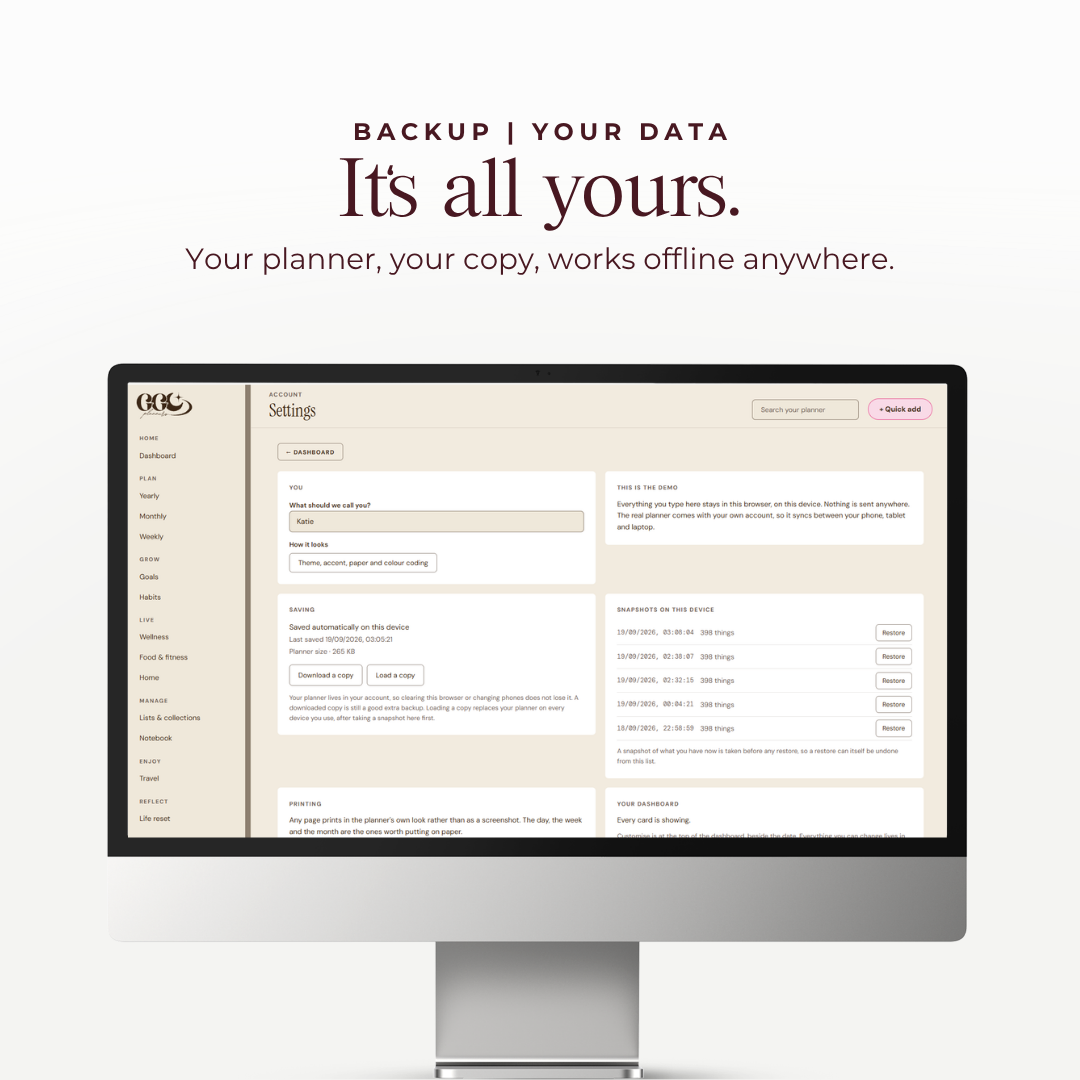
Any device. Offline. Yours.
Reviews
Reviews land here once customers have lived with it
It is brand new, so there are none yet and we will not invent any. GGC has shipped over 100,000 planners, and this is the one that lives on your phone and laptop.
Questions
The things you are probably wondering.
No. You pay once and it is yours. There is no monthly fee.
No. It is a planner you sign into from any browser. Add it to your home screen and it opens full screen like an app. Nothing to install and nothing to update.
Yes. Sign in on your phone, tablet and laptop with one login and they stay in step on their own. Setting up is quickest on a laptop, and your phone is handy for ticking things off during the day.
Yes. Your changes save on your device first and sync as soon as you are back online.
Only you. It sits in your own private account, there are no adverts or tracking tools inside it, and we never sell your data or share it with advertisers. You can download a copy any time, or ask us to delete your account.
It moves to today by itself, with a small note of the day it came from. Nothing quietly disappears.
No. Create your Life Planner account with the same email and password, and the Life Planner is added to the login you already have.
Both ways. In Settings you can create a private link and paste it into Google, Apple or Outlook calendar, and your planner events then show there beside everything else. You can also export your existing calendar and bring those events into the planner. Three things to know. The link sends one way, so your calendar shows the planner but edits you make in your calendar do not come back. Your calendar app decides how often it checks that link for changes, usually within the hour on Apple and up to a day on Google. And bringing a calendar in is a copy taken at that moment rather than a live connection, so events you add in Google or Apple afterwards will not appear in the planner on their own: you export and drop the file in again whenever you want to catch up, and importing the same calendar twice updates it rather than doubling it. Anything you add in the planner is there straight away.
Yes, and it behaves like a task rather than an appointment. Give any task a repeat when you add it and it lands on your to-do list every time it is due. If you do not tick it, it stays on the list marked overdue until you do, so a monthly job does not quietly disappear when the month turns. Ticking one month does not tick the next, and you can skip a single one without stopping the rest.
Yes, if you tell it. The pantry on the Food and fitness page holds your staples, each one tapped to In, Low or Out in a second. When you send a recipe to your grocery list, anything you have plenty of is left off, so you are not buying flour you already have or deleting six things by hand. It shows you every ingredient and what it decided first, so you can always say you need it after all, and it only ever leaves something off when you have marked it In. Tick something as bought and it offers to put the pantry back to In for you.
One last thing
One place for your whole life.
Stop paying for apps that each do one thing. Pay once, and keep your days, habits, meals and plans together.